


Improving the Top-Up Process
Introduction
In Setel, users can top up their balance using different payment methods. However, the top-up can sometimes take a few minutes to several hours to complete. The long waiting time creates uncertainty and frustration, making it difficult for users to know if their top-up was successful. This case study focuses on improving the top-up experience by making the process clearer and more reassuring for users.
Problem
Currently, users often don’t receive timely updates on the status of their top-up. Without clear feedback, they may assume the top-up has failed and attempt it again. This leads to multiple top-ups and unexpected extra balance once all transactions are processed, causing confusion, frustration and a loss of trust in the app.
Current Process
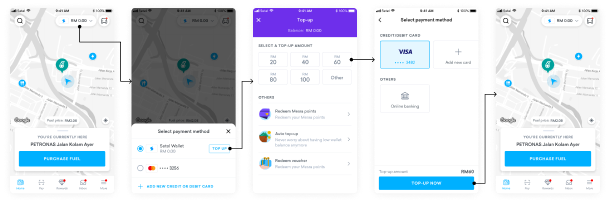
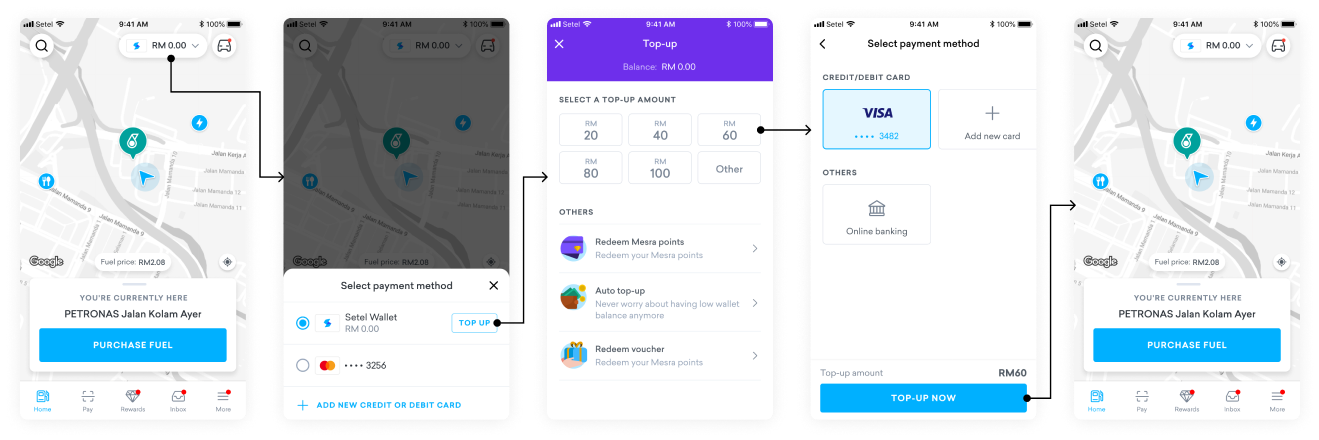
After users select their amount and payment method, the top-up is processed in the background. However, the app doesn’t show any progress or status on the homepage, leaving users unsure if their top-up was successful or not.
Opportunity
How can we keep users informed about the status of their top-up to prevent them from trying again unnecessarily?
Our Goals
- Make sure users know when their top-up is still being processed.
- Stop users from making multiple attempts to top up when it’s not needed.
- Improve the overall experience by making the process clearer and easier to use.
Solution
To improve the top-up processing experience, we introduced several improvements across the Setel app, as outlined below:
Introducing the New Top-Up Processing Screen
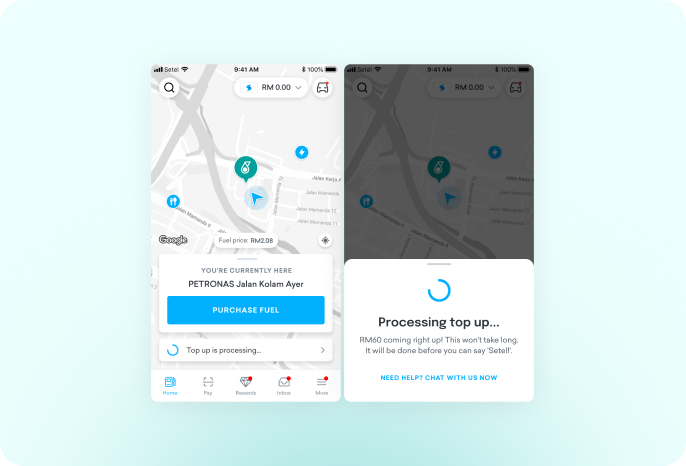
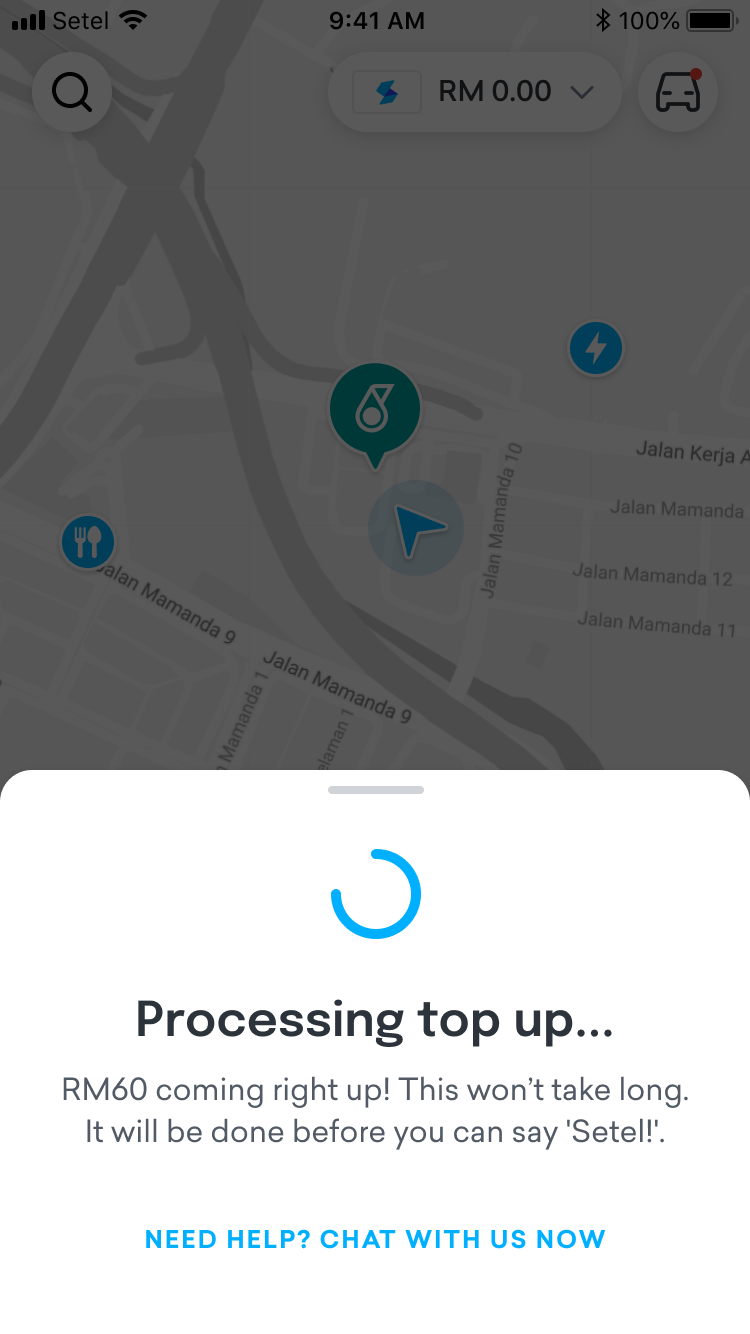
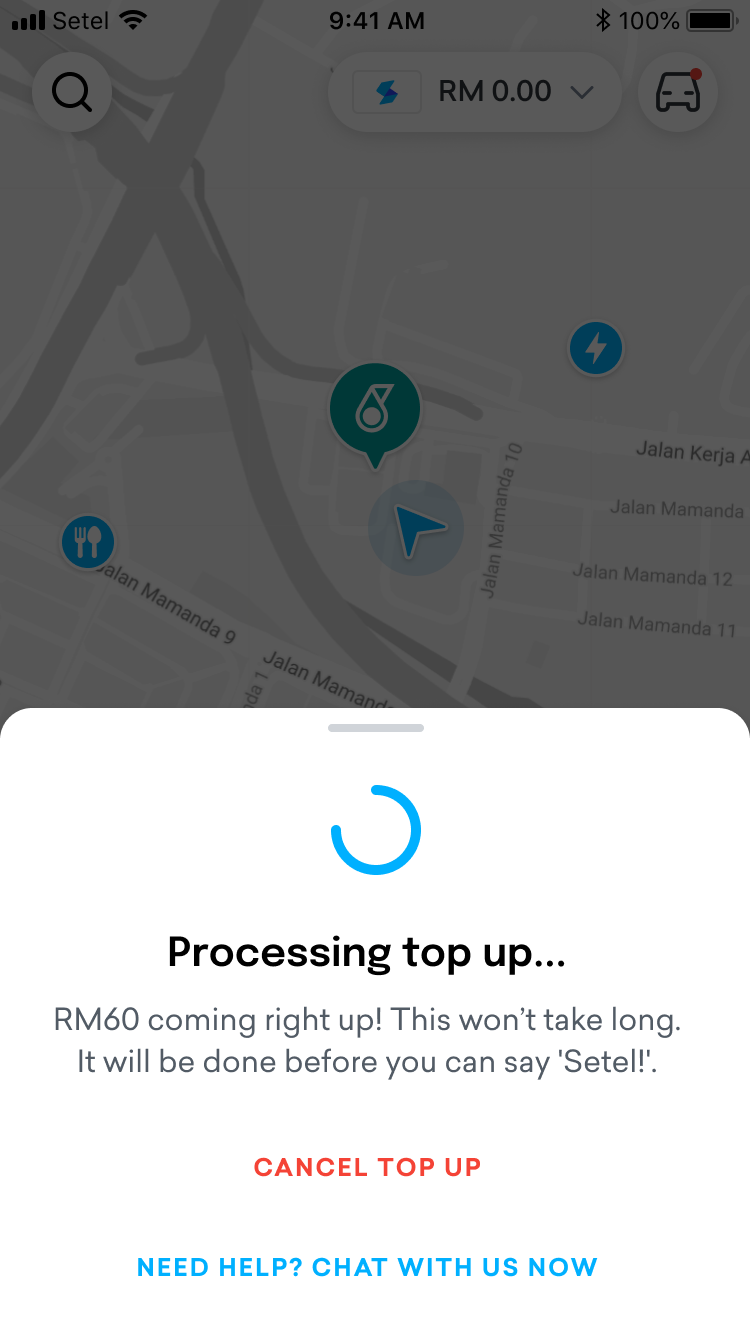
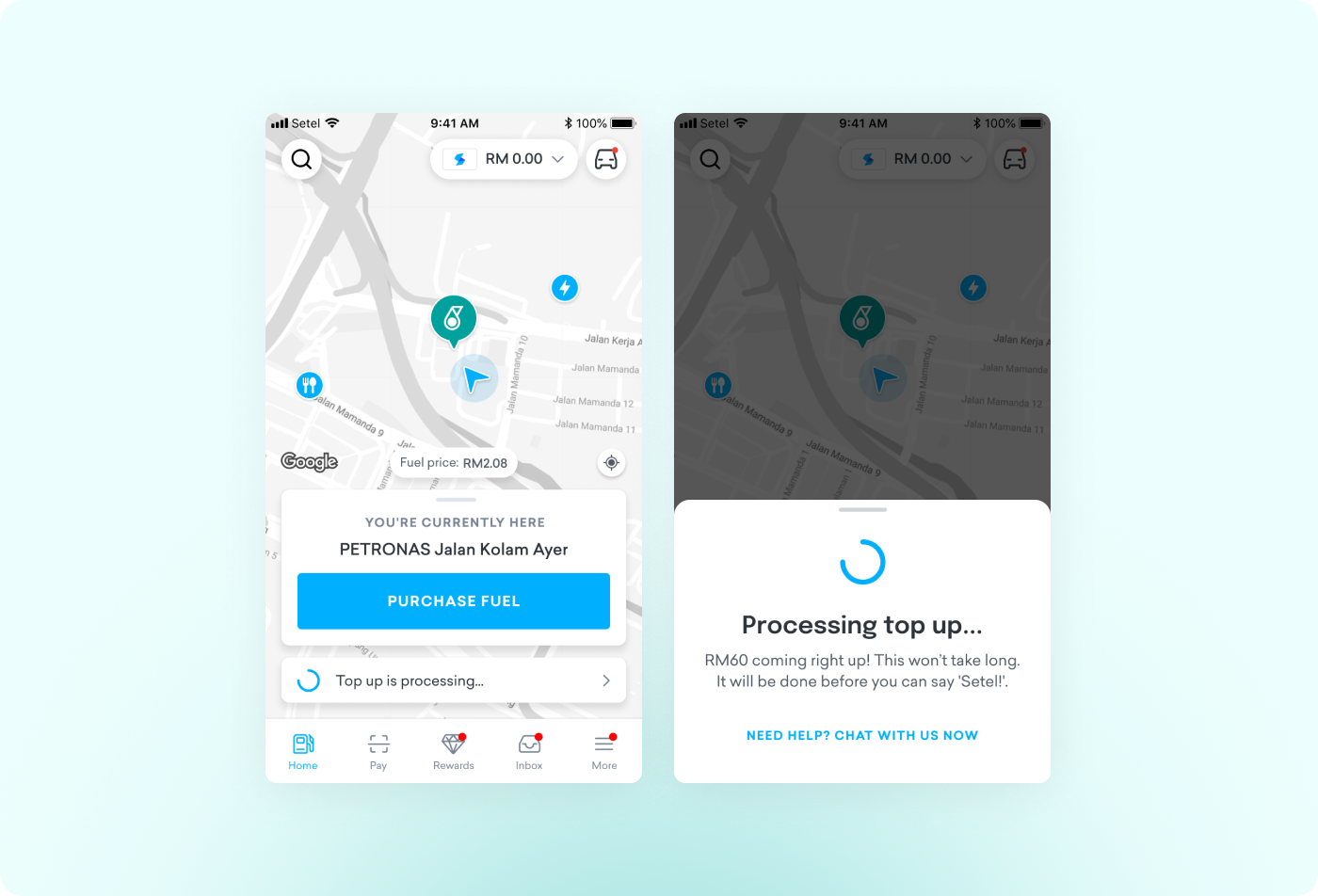
To make the process clearer, we added a Top-Up Processing Screen that shows when the top-up is still being processed.
Here’s how we’ve made it easier
We added a simple loading icon at the bottom of the screen to show users that the top-up is still being processed.
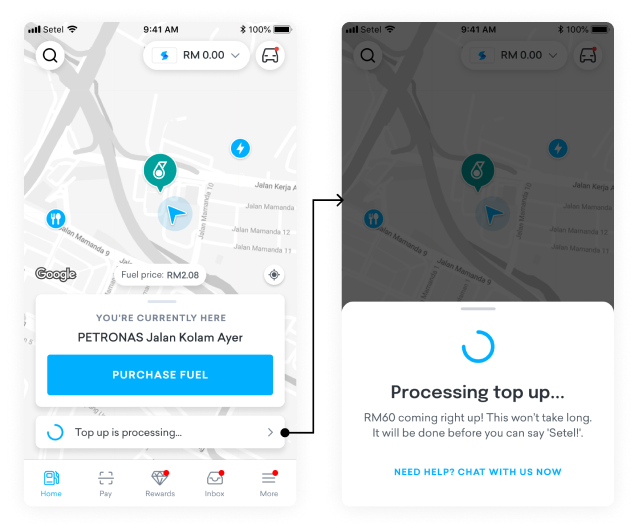
We introduced a feature that allows users to minimize the bottom sheet by sliding it down. This improvement lets them continue browsing seamlessly without being restricted, enhancing overall navigation.
New Feature: Cancel a Top-Up
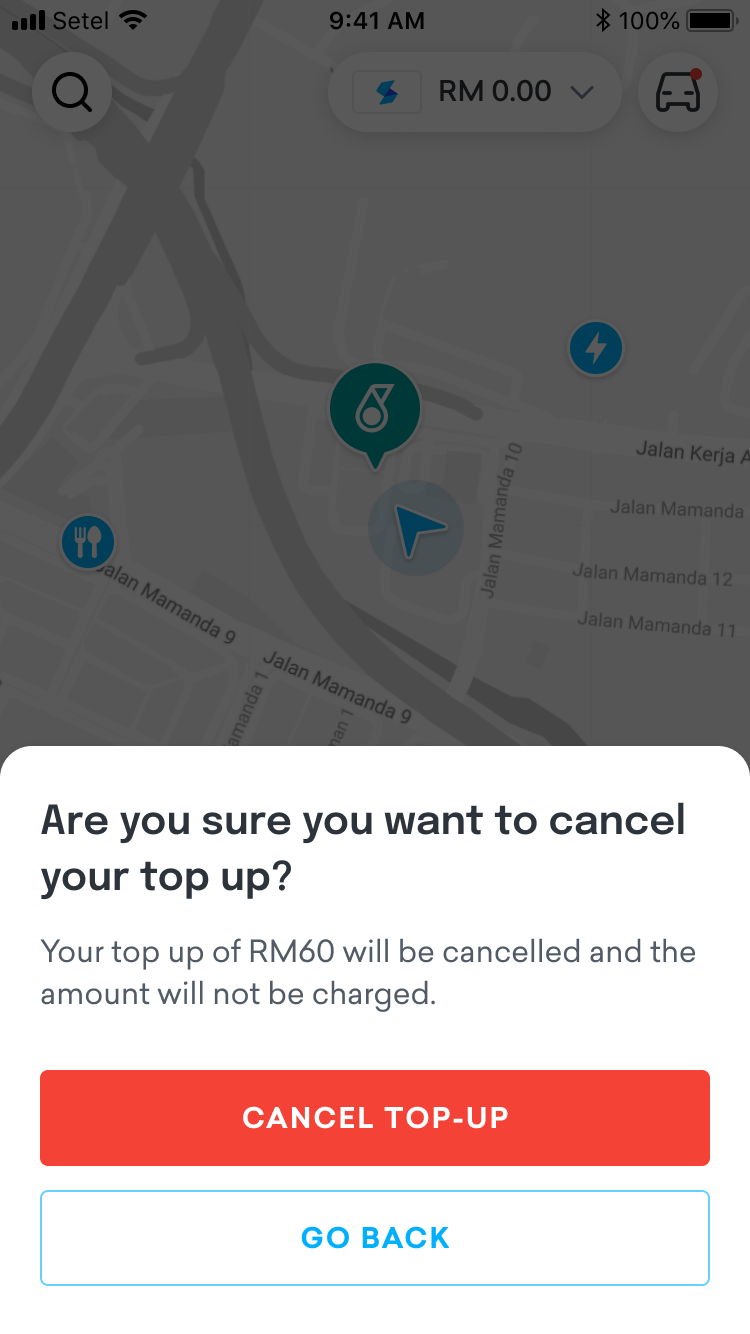
We know long processing times can be frustrating. To help with this, we added a Cancel Top-Up option. After 15 seconds, users can cancel the top-up if they don’t want to wait any longer.
Preventing Multiple Top-Up Attempts
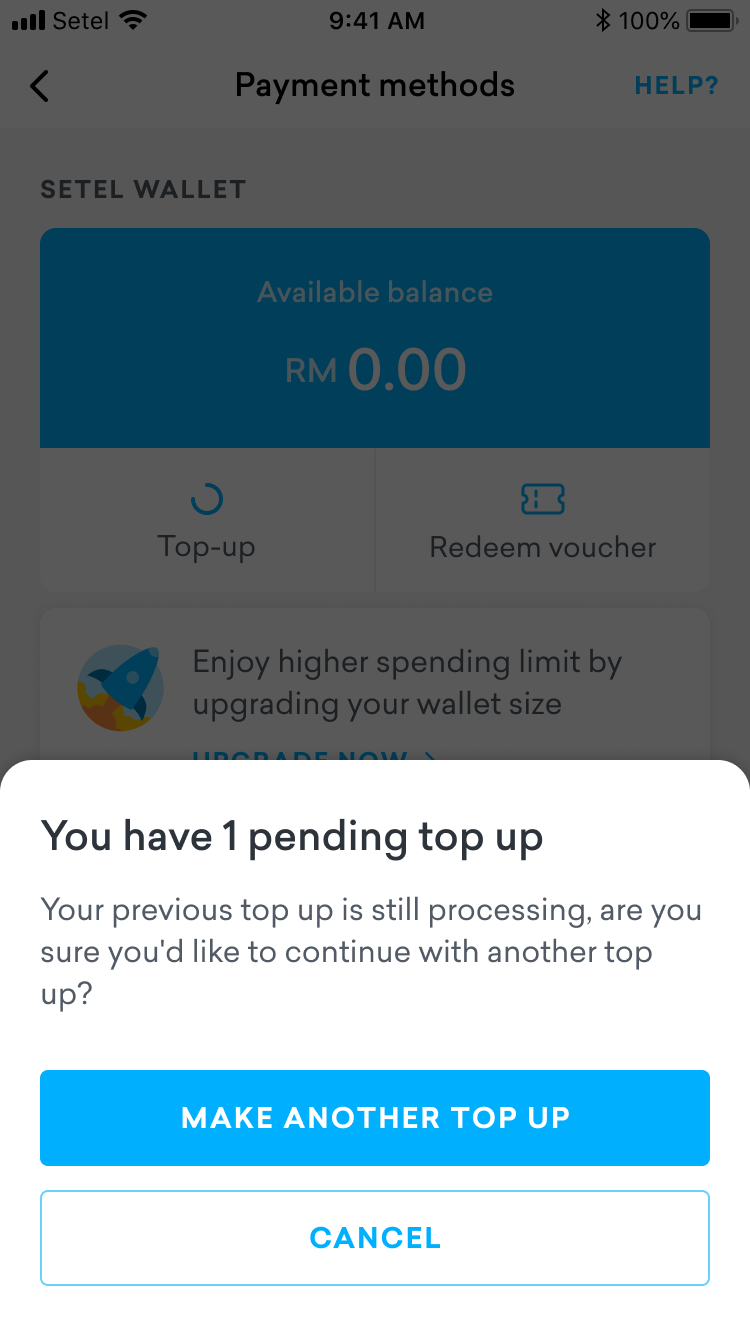
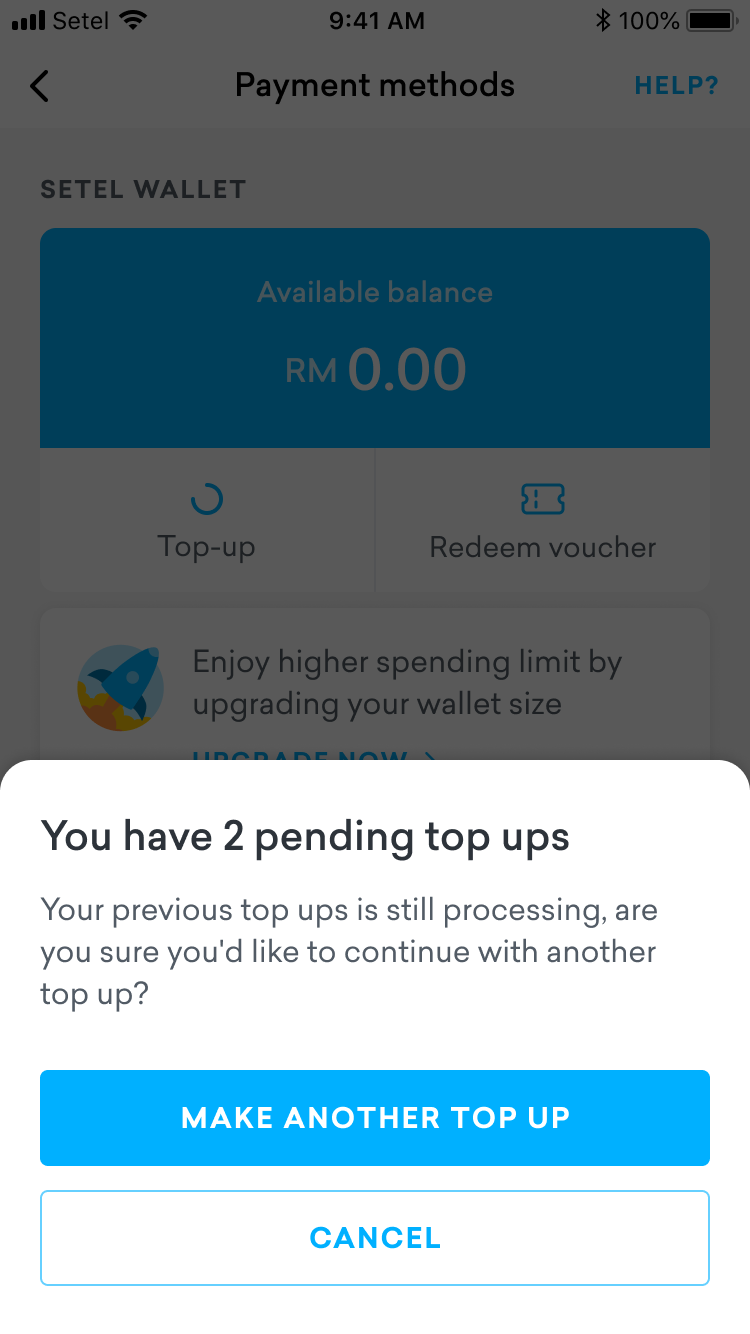
Sometimes users think their top-up failed and try again, which can cause confusion. To prevent this, we added a reminder message. If a user tries to top up again while another transaction is still in progress, a message will pop up to remind them that the first top-up is still being processed.
Improved Success and Failure Messages
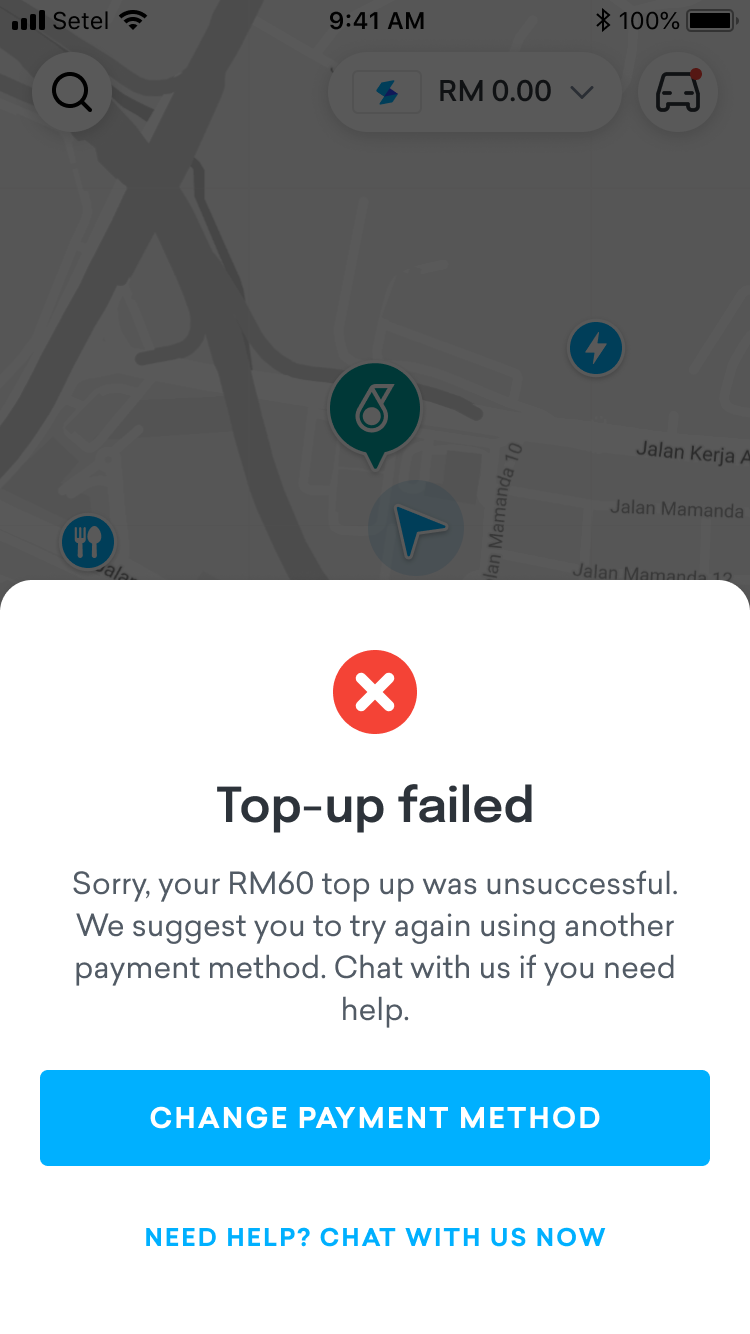
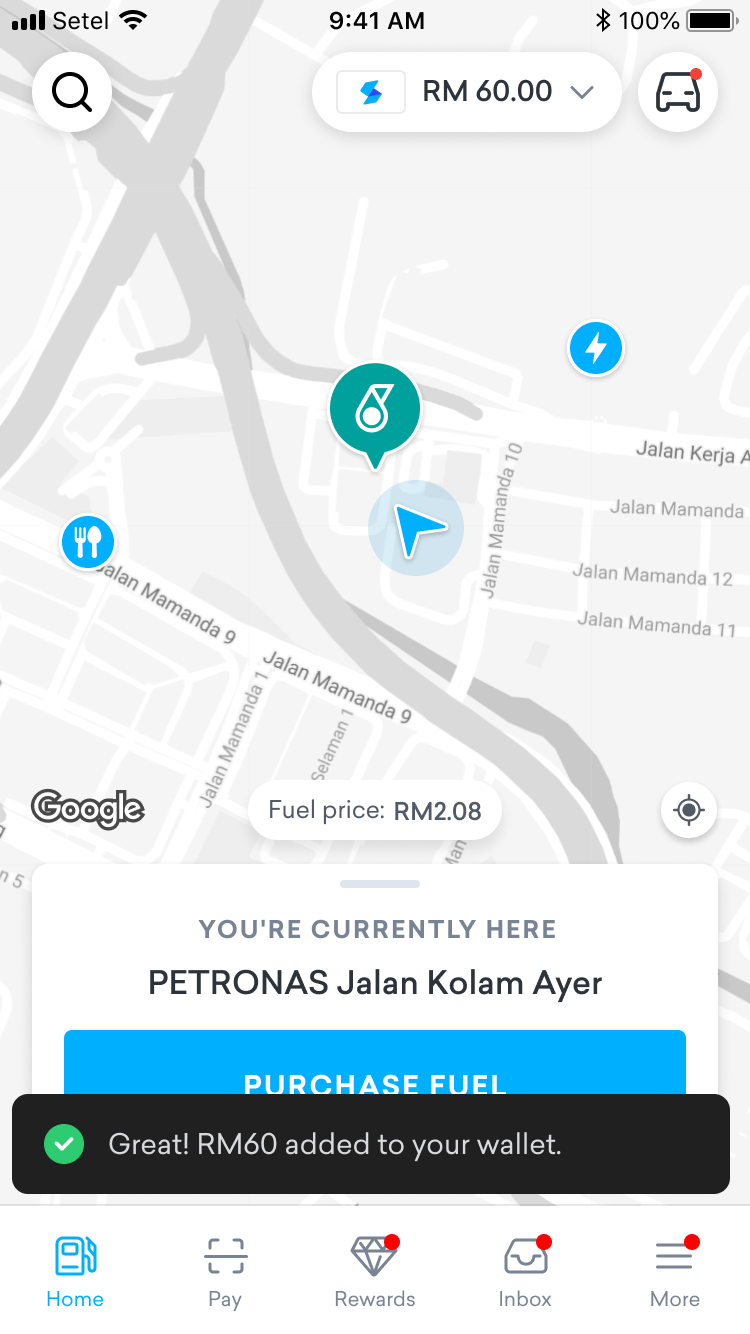
We’ve also made the notifications for top-up results more clear. A toast will appear to confirm the top-up was successful, and the amount will be added to the user’s wallet. If the top-up fails, users will be prompted to try again with a different payment method.
Result
The improvements to the top-up process make it easier for users to understand what’s happening with their transactions. Clear progress indicators, easy access to transaction status, and reminder messages reduce confusion and prevent repeated top-up attempts. By making the experience smoother and giving users more control, these changes help rebuild trust and make the app more user-friendly overall.
Copyright © moonhuilee 2026


Improving the Top-Up Process
Introduction
In Setel, users can top up their balance using different payment methods. However, the top-up can sometimes take a few minutes to several hours to complete. The long waiting time creates uncertainty and frustration, making it difficult for users to know if their top-up was successful. This case study focuses on improving the top-up experience by making the process clearer and more reassuring for users.
Problem
Currently, users often don’t receive timely updates on the status of their top-up. Without clear feedback, they may assume the top-up has failed and attempt it again. This leads to multiple top-ups and unexpected extra balance once all transactions are processed, causing confusion, frustration and a loss of trust in the app.
Current Process
After users select their amount and payment method, the top-up is processed in the background. However, the app doesn’t show any progress or status on the homepage, leaving users unsure if their top-up was successful or not.
Opportunity
How can we keep users informed about the status of their top-up to prevent them from trying again unnecessarily?
Our Goals
- Make sure users know when their top-up is still being processed.
- Stop users from making multiple attempts to top up when it’s not needed.
- Improve the overall experience by making the process clearer and easier to use.
Solution
To improve the top-up processing experience, we introduced several improvements across the Setel app, as outlined below:
Introducing the New Top-Up Processing Screen
To make the process clearer, we added a Top-Up Processing Screen that shows when the top-up is still being processed.
Here’s how we’ve made it easier
We added a simple loading icon at the bottom of the screen to show users that the top-up is still being processed.
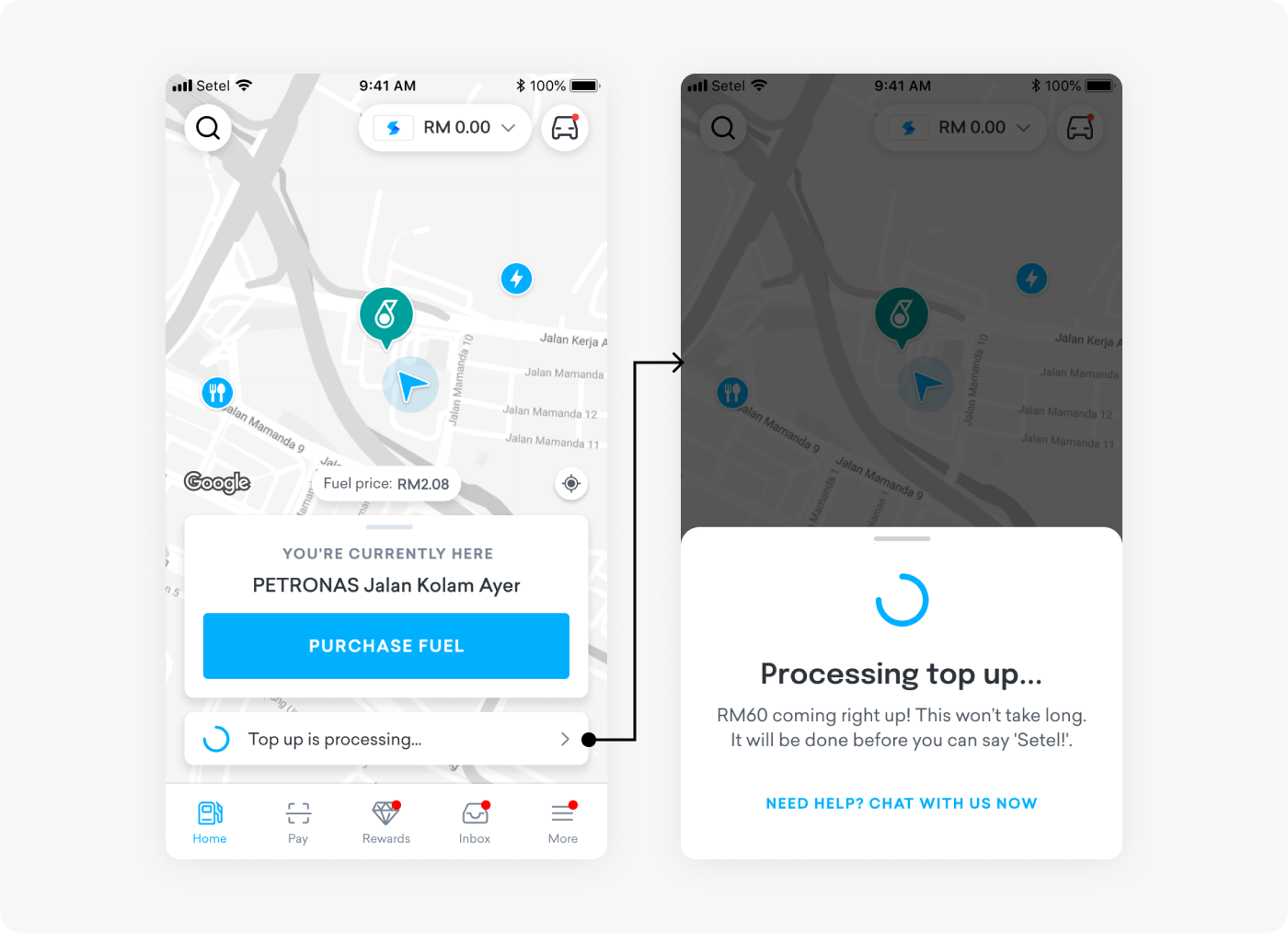
We introduced a feature that allows users to minimize the bottom sheet by sliding it down. This improvement lets them continue browsing seamlessly without being restricted, enhancing overall navigation.
New Feature: Cancel a Top-Up
We know long processing times can be frustrating. To help with this, we added a Cancel Top-Up option. After 15 seconds, users can cancel the top-up if they don’t want to wait any longer.
Preventing Multiple Top-Up Attempts
Sometimes users think their top-up failed and try again, which can cause confusion. To prevent this, we added a reminder message. If a user tries to top up again while another transaction is still in progress, a message will pop up to remind them that the first top-up is still being processed.
Improved Success and Failure Messages
We’ve also made the notifications for top-up results more clear. A toast will appear to confirm the top-up was successful, and the amount will be added to the user’s wallet. If the top-up fails, users will be prompted to try again with a different payment method.
Result
The improvements to the top-up process make it easier for users to understand what’s happening with their transactions. Clear progress indicators, easy access to transaction status, and reminder messages reduce confusion and prevent repeated top-up attempts. By making the experience smoother and giving users more control, these changes help rebuild trust and make the app more user-friendly overall.
Copyright © moonhuilee 2026