


Improving the card expiry experience
Introduction
Setel is an app designed to simplify mobility-related services, such as purchasing fuel, EV charging, and parking. As part of its ecosystem, Setel also offers an integrated e-wallet that supports multiple payment methods, including debit and credit cards. Users can make cashless transactions within the app, whether for mobility services, online shopping or in-store payments, helping make payments faster, safer and more convenient.
In this case study, I will focus on improving the user experience related to managing card expiry within Setel’s payment ecosystem.
Problem
In the current version of our app, there’s no clear warning when a user’s credit or debit card has expired. As a result, users often only find out during checkout—when their payment unexpectedly fails.
This leads to a poor experience, especially in high-pressure, time-sensitive situations. Many users rely on our app for quick payments, such as when refueling or paying at the store. If their card is expired and they’re not warned ahead of time, it interrupts the flow right at the critical moment.
This sudden failure causes confusion, frustration, and sometimes embarrassment at the counter. In some cases, users may abandon their purchase entirely or lose trust in the app and switch to another payment method or service.
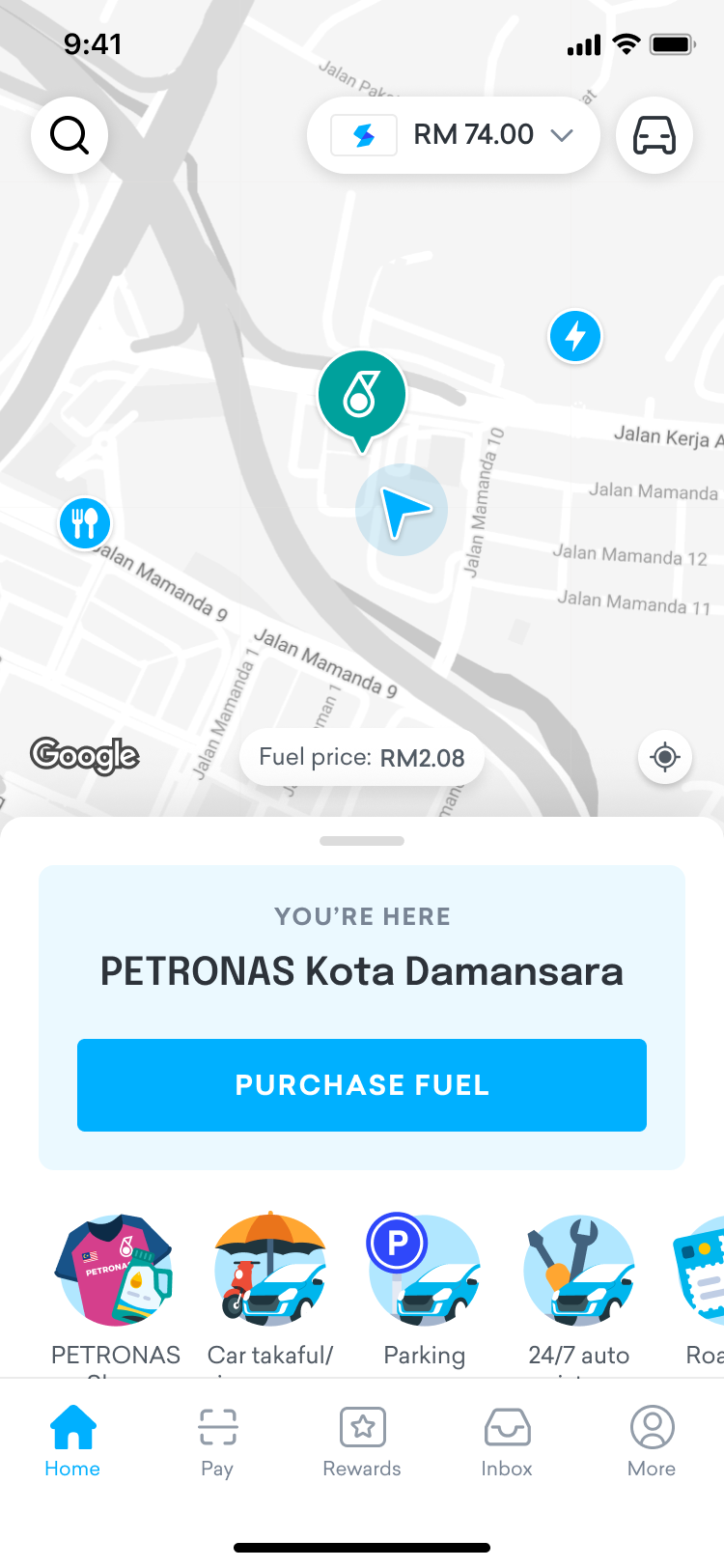
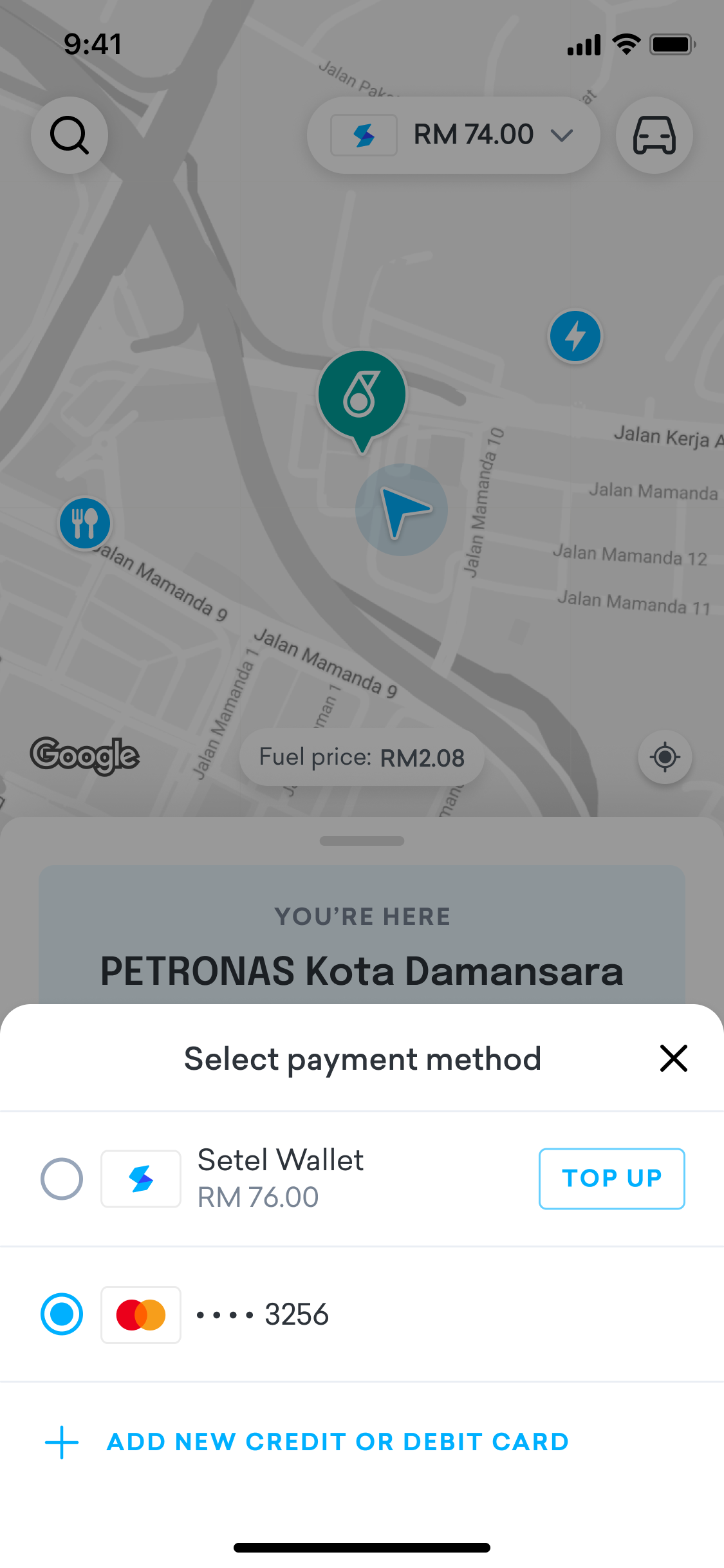
Current design · User is unable to identify which card has expired
Opportunity
How might we notify users ahead of time when their card is about to expire or has already expired?
Our Goals
- Help users understand that they can't make purchases using an expired card.
- Encourage users to update their card details or add a new card.
Solution
To improve the card expiry experience, we introduced several improvements across the Setel app, as outlined below:
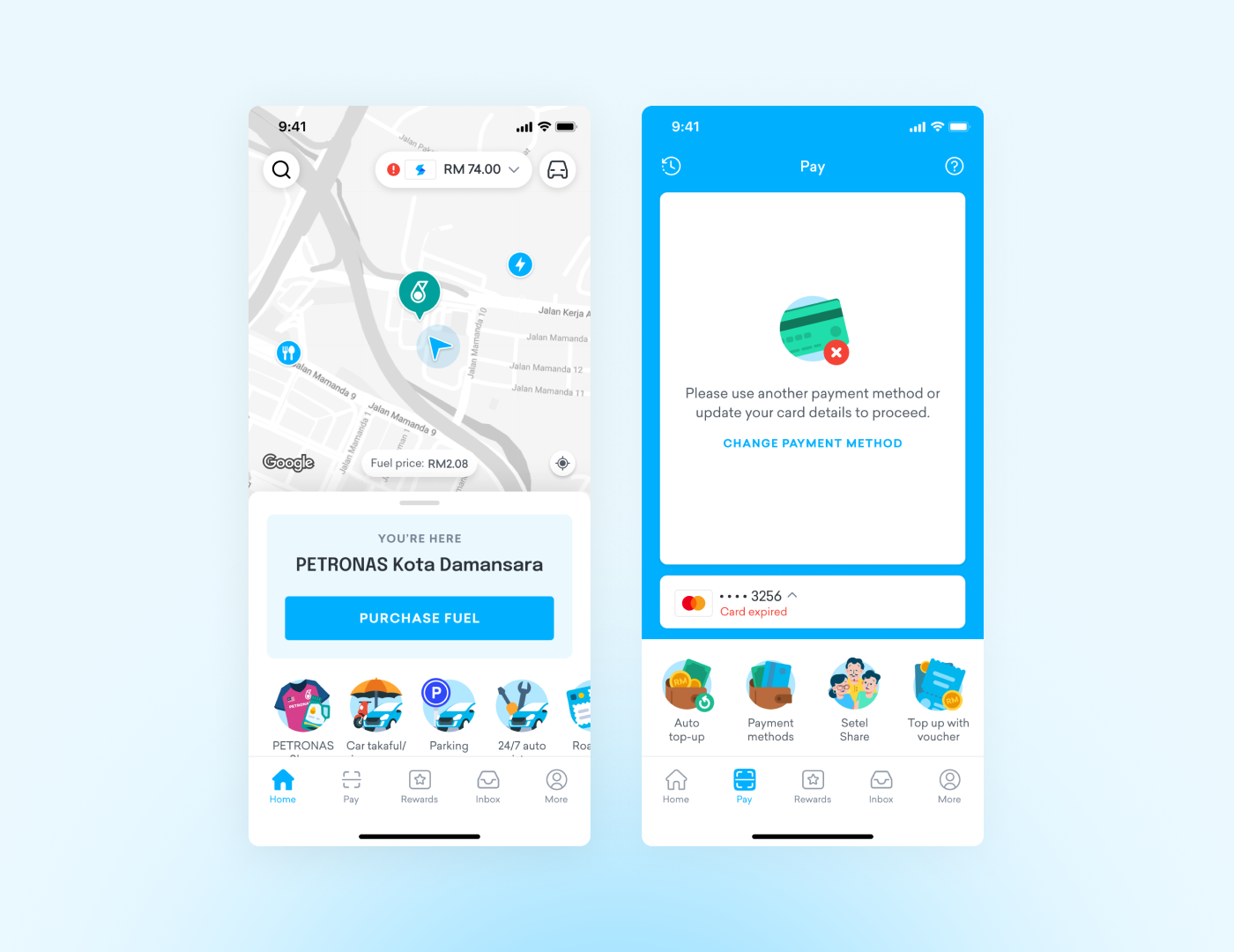
Visual Alert on the Homepage
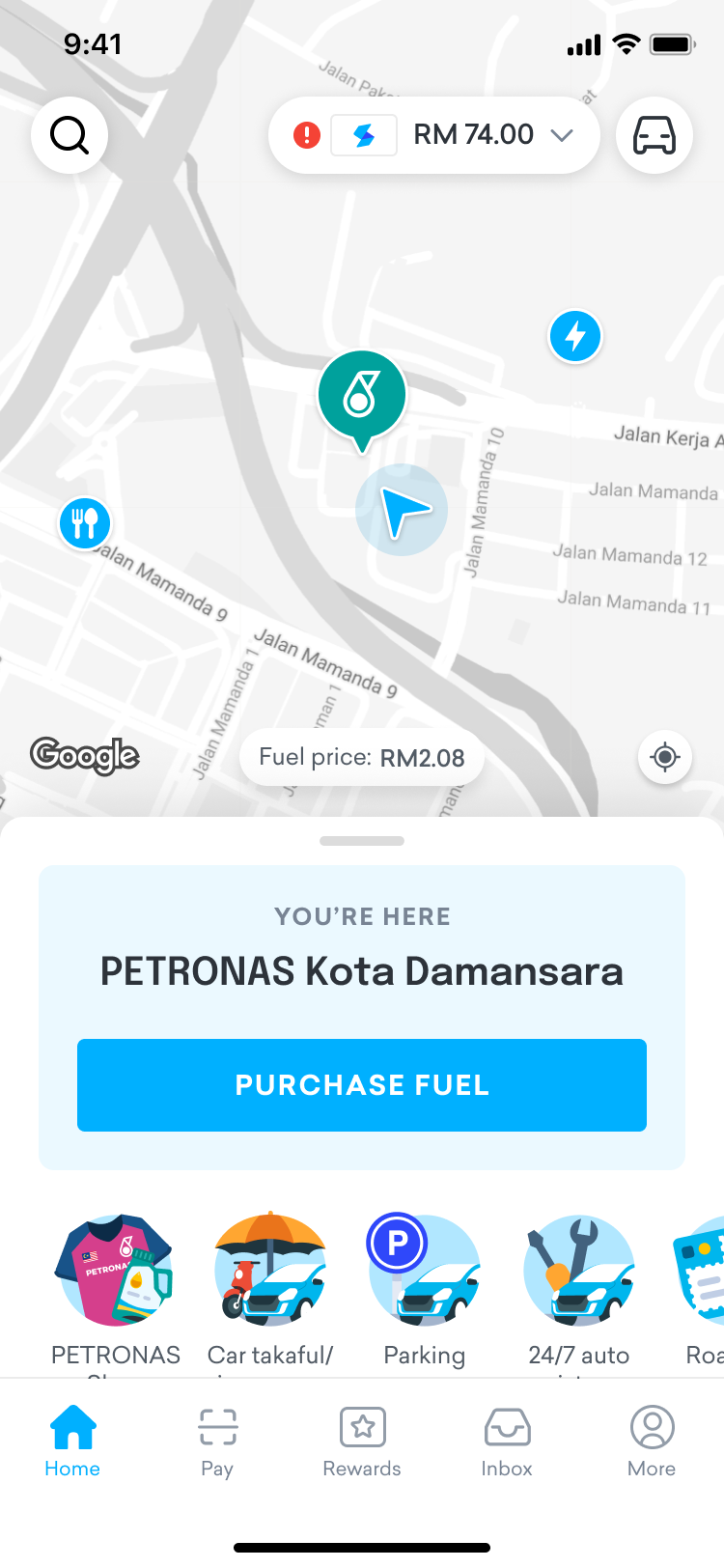
We added a red exclamation icon to the payment pill on the homepage. Since this is the first screen users usually see, the icon quickly catches their attention and invites them to take action.
Before
After
Clear Expiry Status in the Wallet
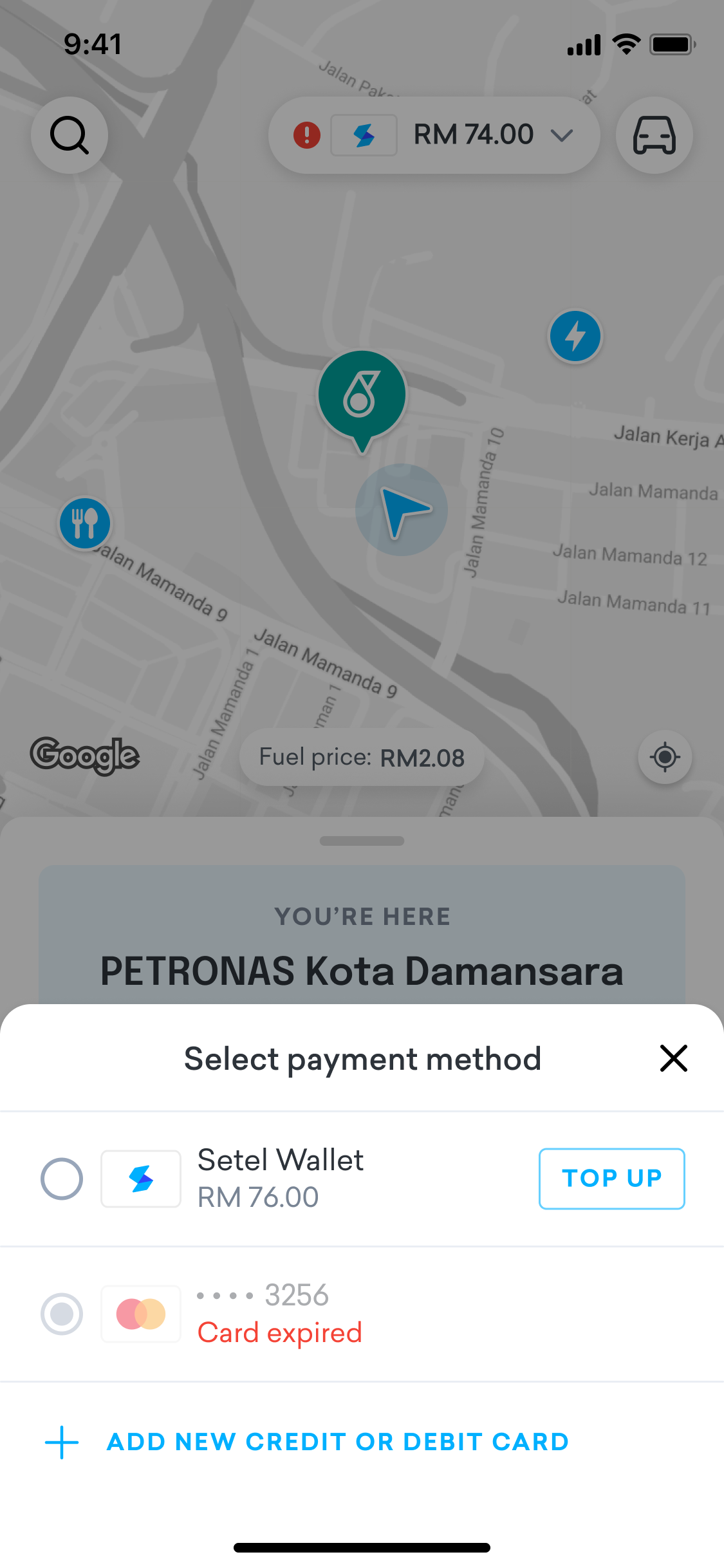
We also show an "expired" label next to any card that is no longer valid. This helps users clearly identify which cards need attention.
Before
After
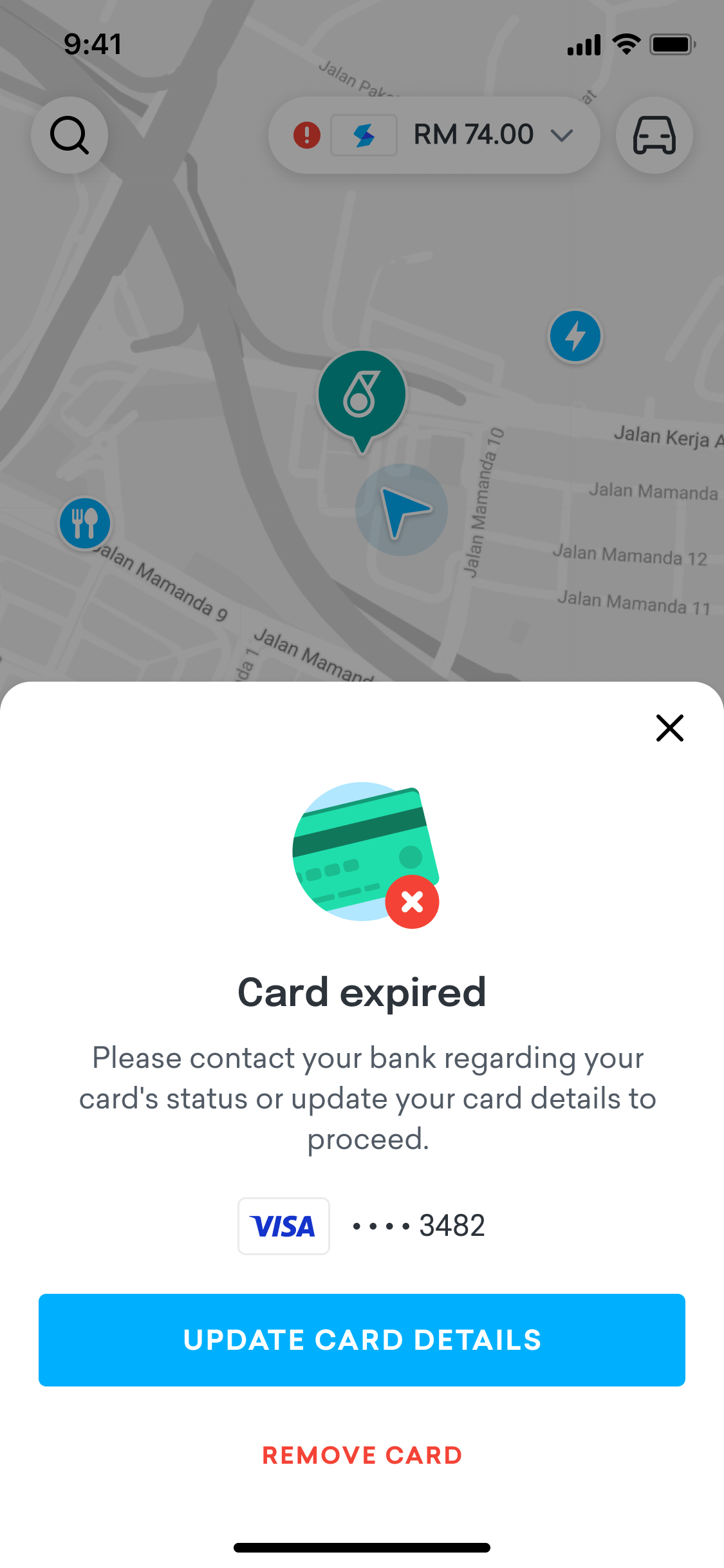
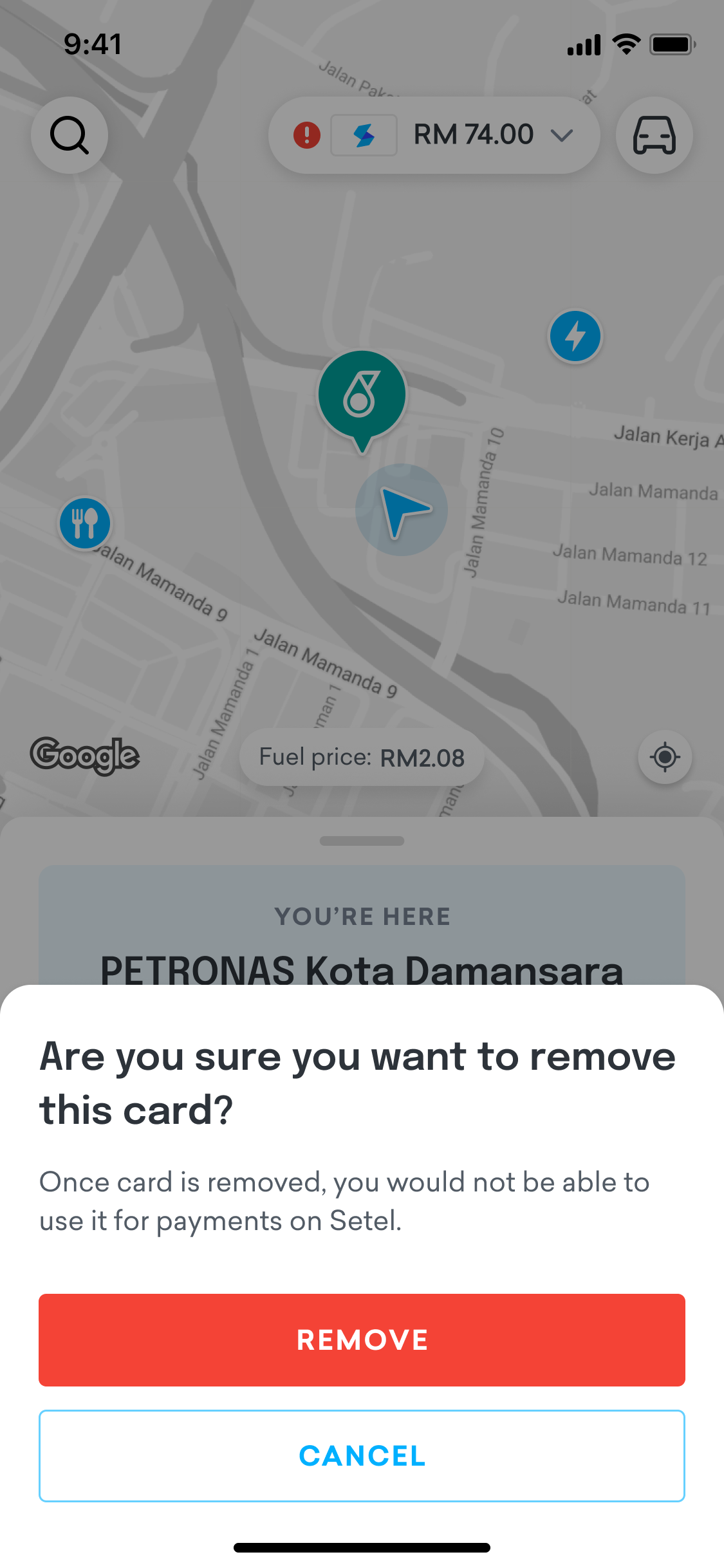
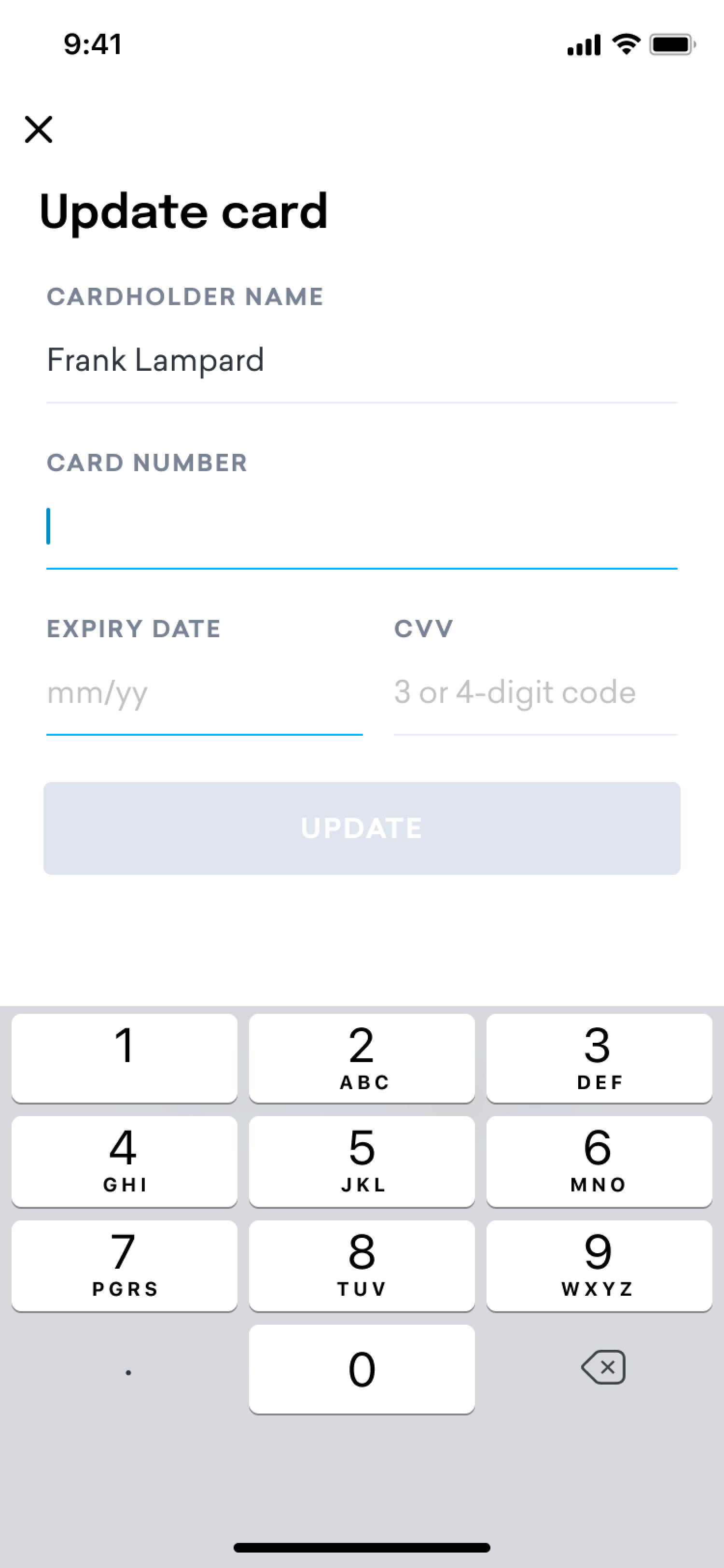
Prompt with Action Options
When users tap on an expired card, a bottom sheet appears with helpful options:
- Update the card with new details (this is the recommended action).
- Remove the card, with the option to add a new one later.
This gives users flexibility while guiding them to fix the issue.
Covering All Payment Entry Points
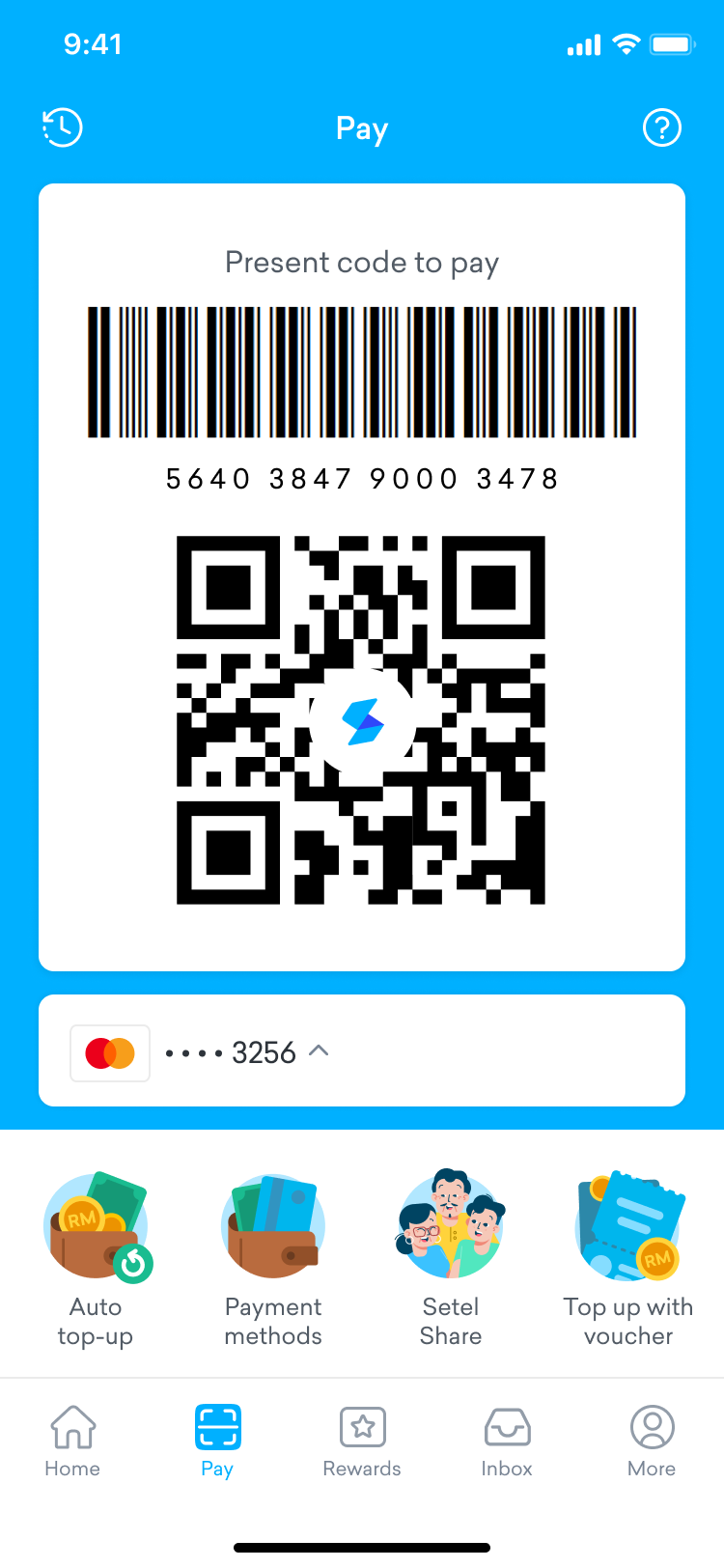
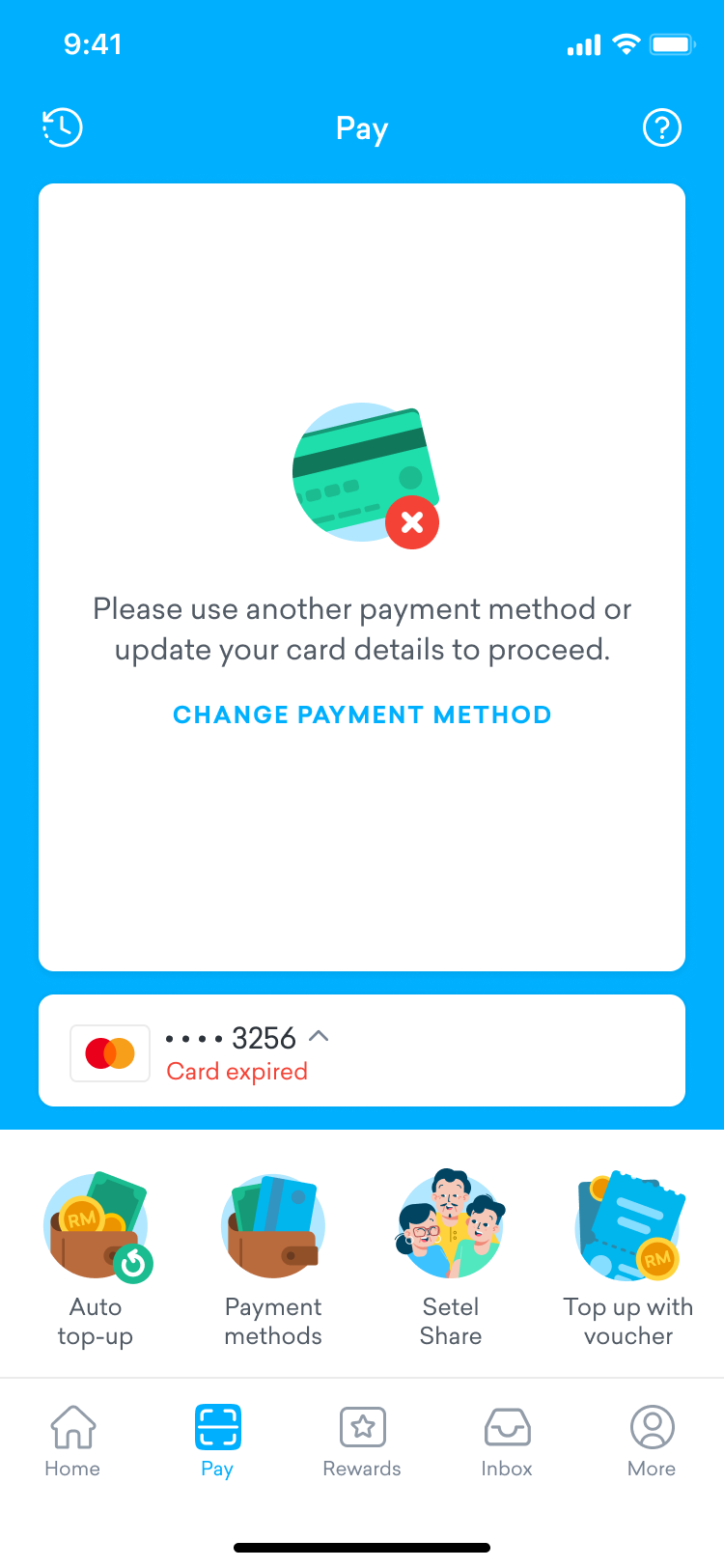
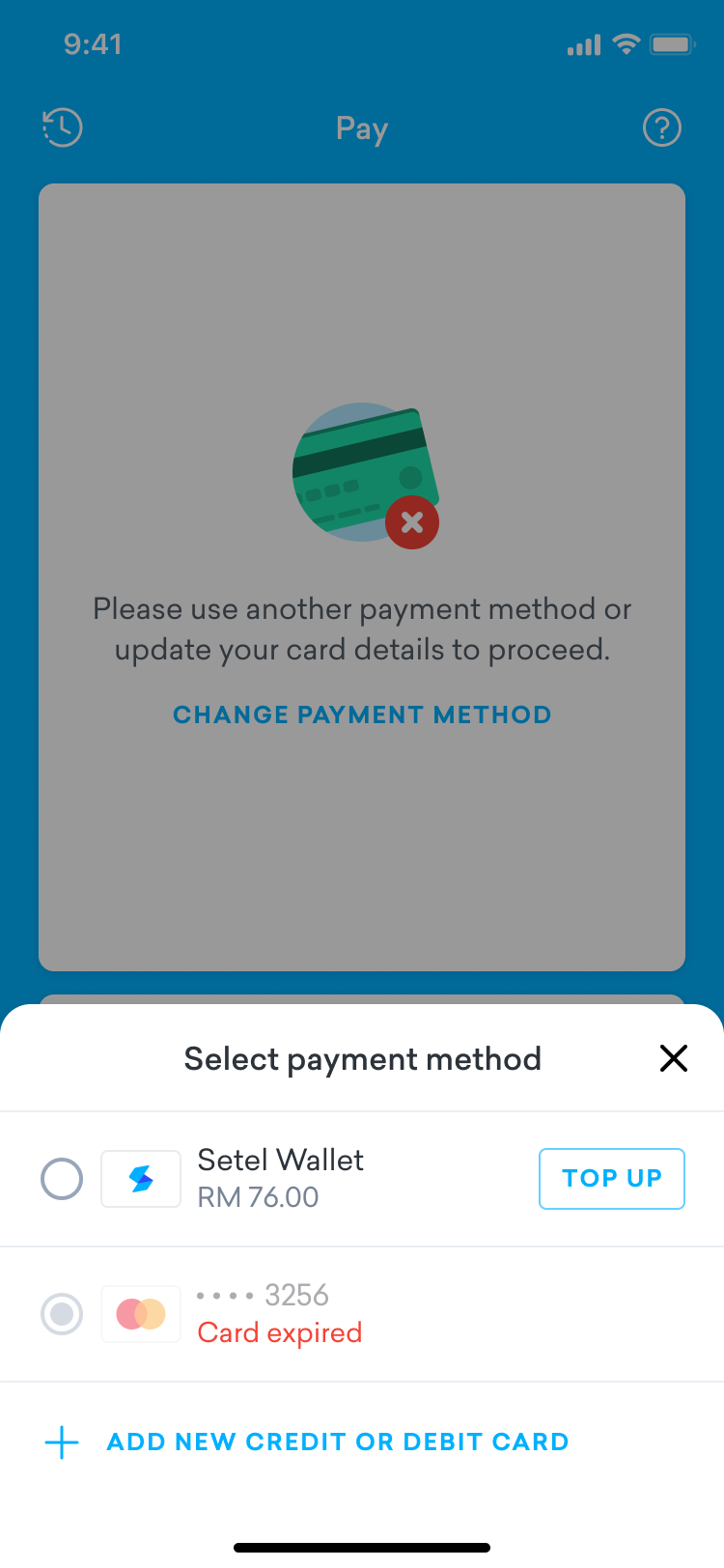
Our app has multiple ways to access the payment feature. To ensure users don’t miss the warning:
- In the Pay tab (used for in-store payments), we allow users to quickly switch to another valid payment method instead of forcing an immediate update.
- In the Wallet section, users see the same “expired” label and can manage their cards anytime.
Before
After

Result
With these updates, users can now easily spot expired cards and take the right action, either updating or removing them. This reduces payment failures, minimizes frustration and creates a smoother, more reliable payment experience
Copyright © moonhuilee 2026


Improving the card expiry experience
Introduction
Setel is an app designed to simplify mobility-related services, such as purchasing fuel, EV charging, and parking. As part of its ecosystem, Setel also offers an integrated e-wallet that supports multiple payment methods, including debit and credit cards. Users can make cashless transactions within the app, whether for mobility services, online shopping or in-store payments, helping make payments faster, safer and more convenient.
In this case study, I will focus on improving the user experience related to managing card expiry within Setel’s payment ecosystem.
Problem
In the current version of our app, there’s no clear warning when a user’s credit or debit card has expired. As a result, users often only find out during checkout—when their payment unexpectedly fails.
This leads to a poor experience, especially in high-pressure, time-sensitive situations. Many users rely on our app for quick payments, such as when refueling or paying at the store. If their card is expired and they’re not warned ahead of time, it interrupts the flow right at the critical moment.
This sudden failure causes confusion, frustration, and sometimes embarrassment at the counter. In some cases, users may abandon their purchase entirely or lose trust in the app and switch to another payment method or service.
Current design · User is unable to identify which card has expired
Opportunity
How might we notify users ahead of time when their card is about to expire or has already expired?
Our Goals
- Help users understand that they can't make purchases using an expired card.
- Encourage users to update their card details or add a new card.
Solution
To improve the card expiry experience, we introduced several improvements across the Setel app, as outlined below:
Visual Alert on the Homepage
We added a red exclamation icon to the payment pill on the homepage. Since this is the first screen users usually see, the icon quickly catches their attention and invites them to take action.
Before
After
Clear Expiry Status in the Wallet
We also show an "expired" label next to any card that is no longer valid. This helps users clearly identify which cards need attention.
Before
After
Prompt with Action Options
When users tap on an expired card, a bottom sheet appears with helpful options:
- Update the card with new details (this is the recommended action).
- Remove the card, with the option to add a new one later.
This gives users flexibility while guiding them to fix the issue.
Covering All Payment Entry Points
Our app has multiple ways to access the payment feature. To ensure users don’t miss the warning:
- In the Pay tab (used for in-store payments), we allow users to quickly switch to another valid payment method instead of forcing an immediate update.
- In the Wallet section, users see the same “expired” label and can manage their cards anytime.
Before
After

Result
With these updates, users can now easily spot expired cards and take the right action, either updating or removing them. This reduces payment failures, minimizes frustration and creates a smoother, more reliable payment experience
Copyright © moonhuilee 2026