Copyright © moonhuilee 2026
The New Parking Payment Method: Automated Parking
Introduction
Setel is Malaysia’s first e-wallet specializing in petrol purchases at PETRONAS stations. Over the years, Setel’s goal has been to innovate seamless experiences for motorists nationwide. In addition to petrol purchases and e-wallet payments, we’ve gradually introduced features such as auto assistance, motor insurance renewal, and parking to serve motorists better.
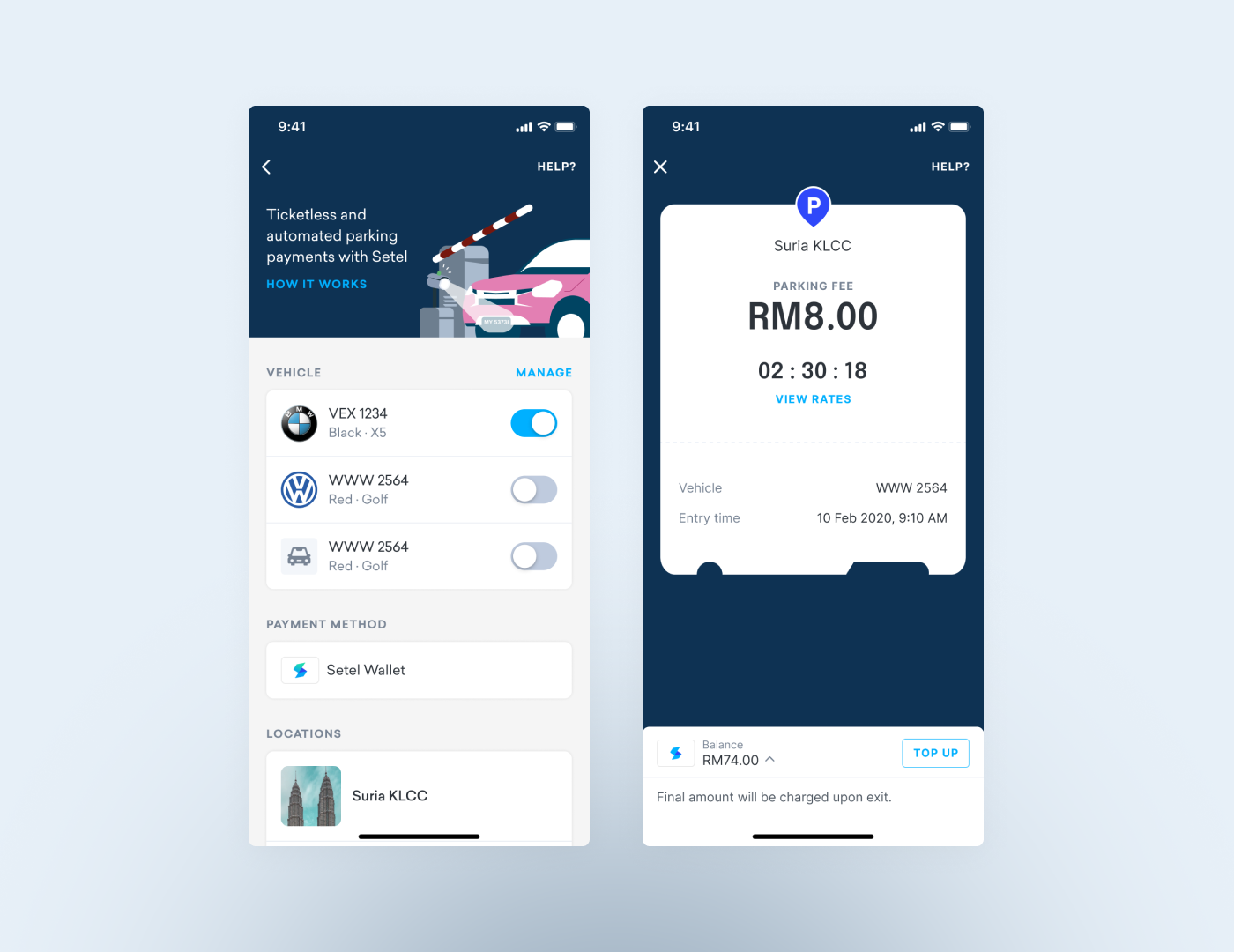
With the introduction of automated parking payments, users can now check their parking session details and pay parking fees directly through the Setel app.
Problem
In Malaysia, the most common parking payment methods include credit/debit card payments, Touch 'n Go cards, and physical tickets that users pay at auto-pay machines.
However, only a few shopping malls have adopted license plate recognition (LPR) technology, and many users are unfamiliar with the concept of license plate recognition parking.
Opportunity
How can we introduce automated parking payments to users in a seamless and intuitive way?
Our Goals
Our main objective was to create a seamless parking experience by allowing users to enter parking facilities without tickets, cash, or cards, using LPR technology.
Solution
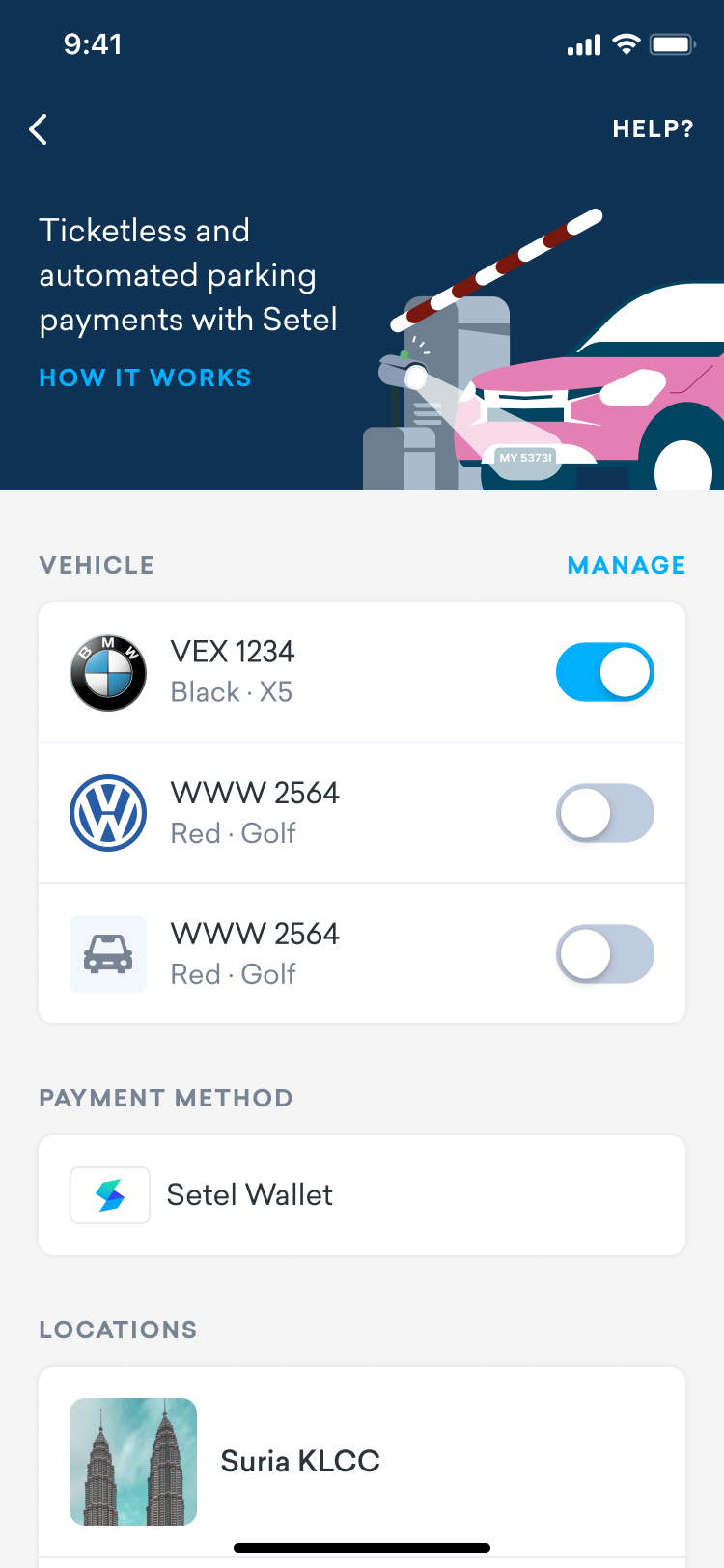
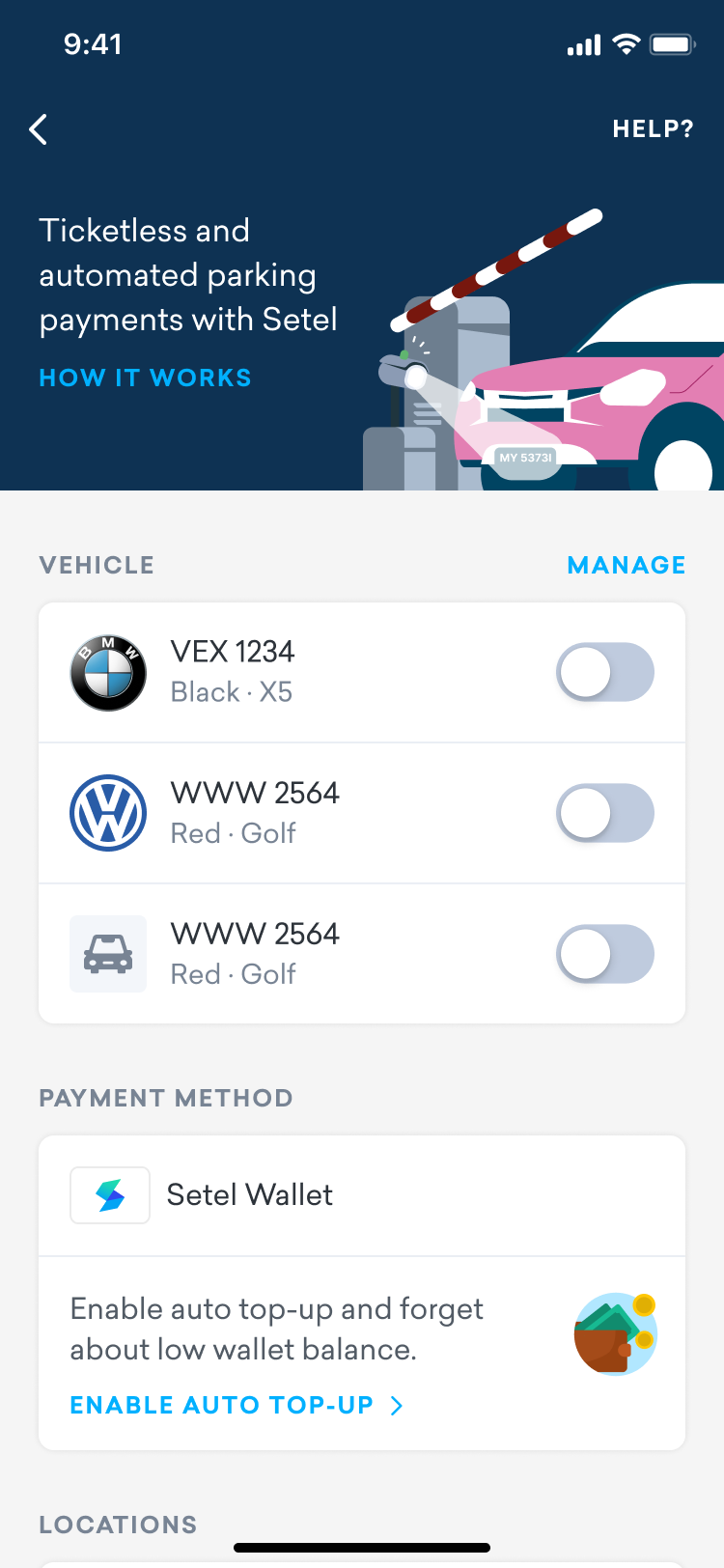
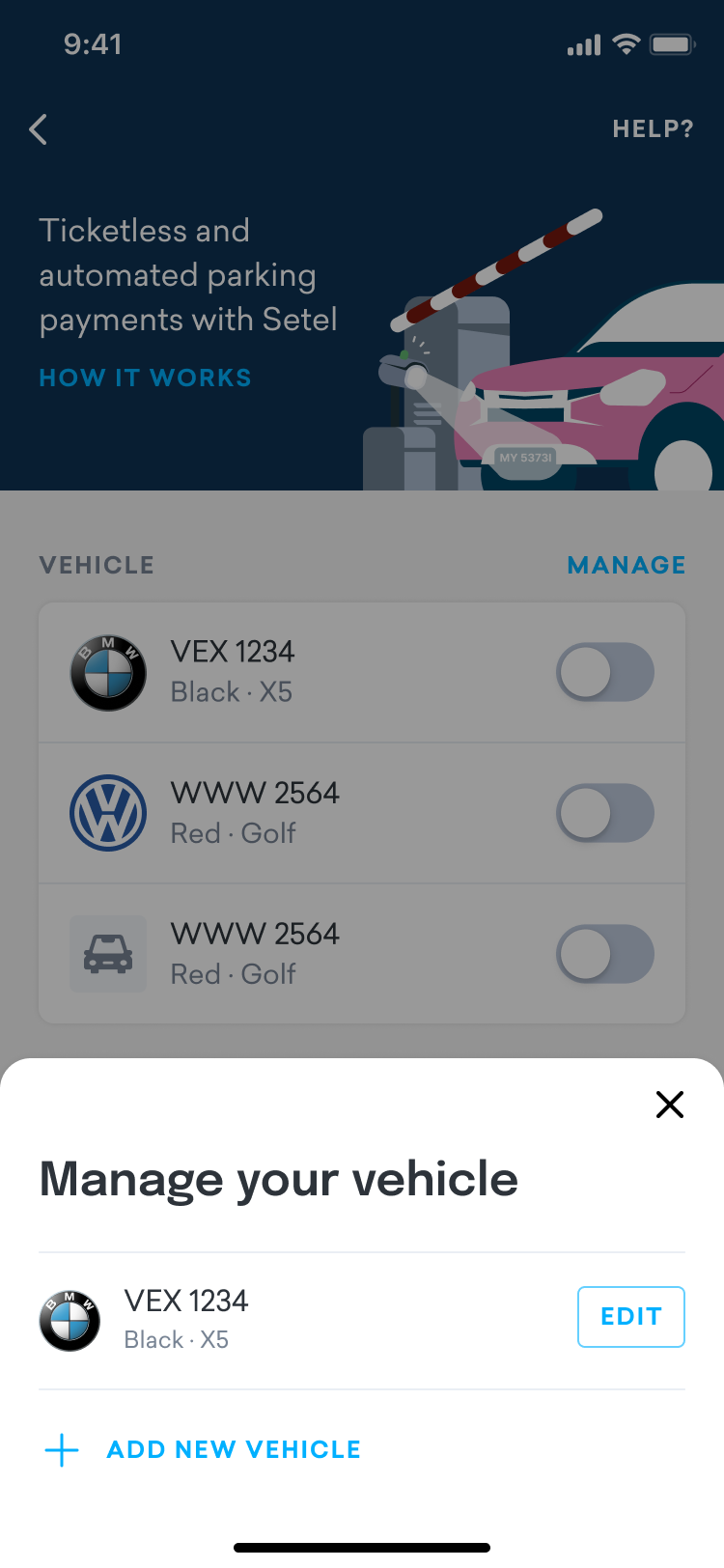
We introduced a simple process for users to set up their vehicle profile in the app, which can be toggled on or off depending on whether they want to use the automated parking feature.
Tap on parking spot
Introduction
Parking setup
Add a vehicle
Turn on the toggle
for the vehicle

All set


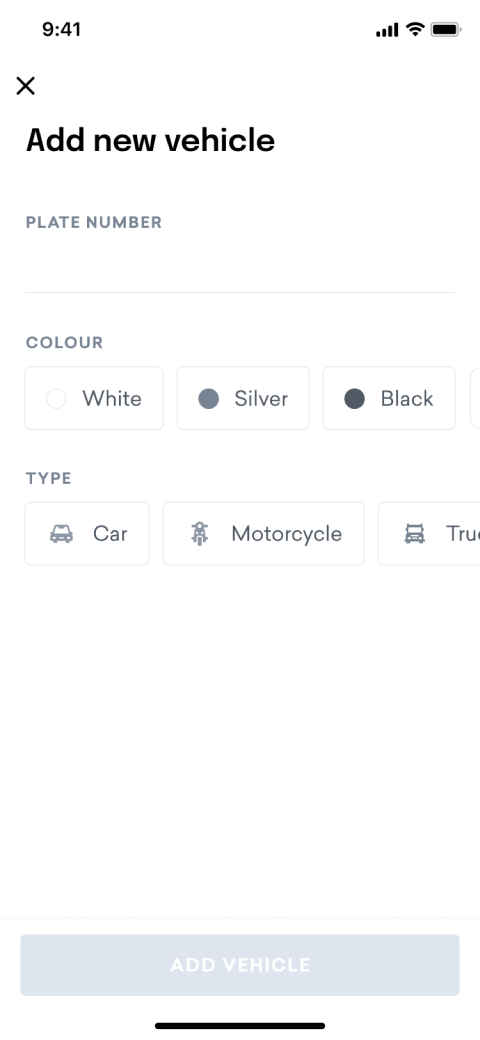
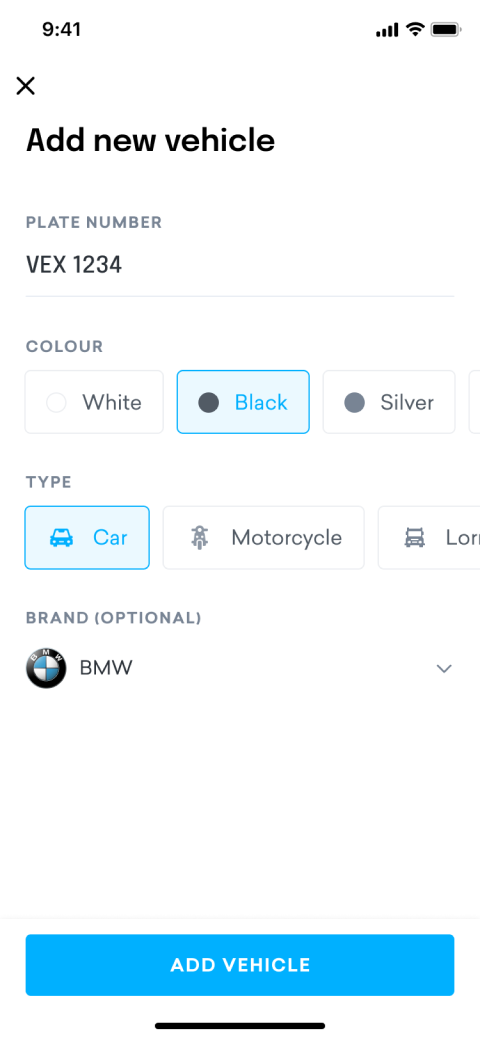
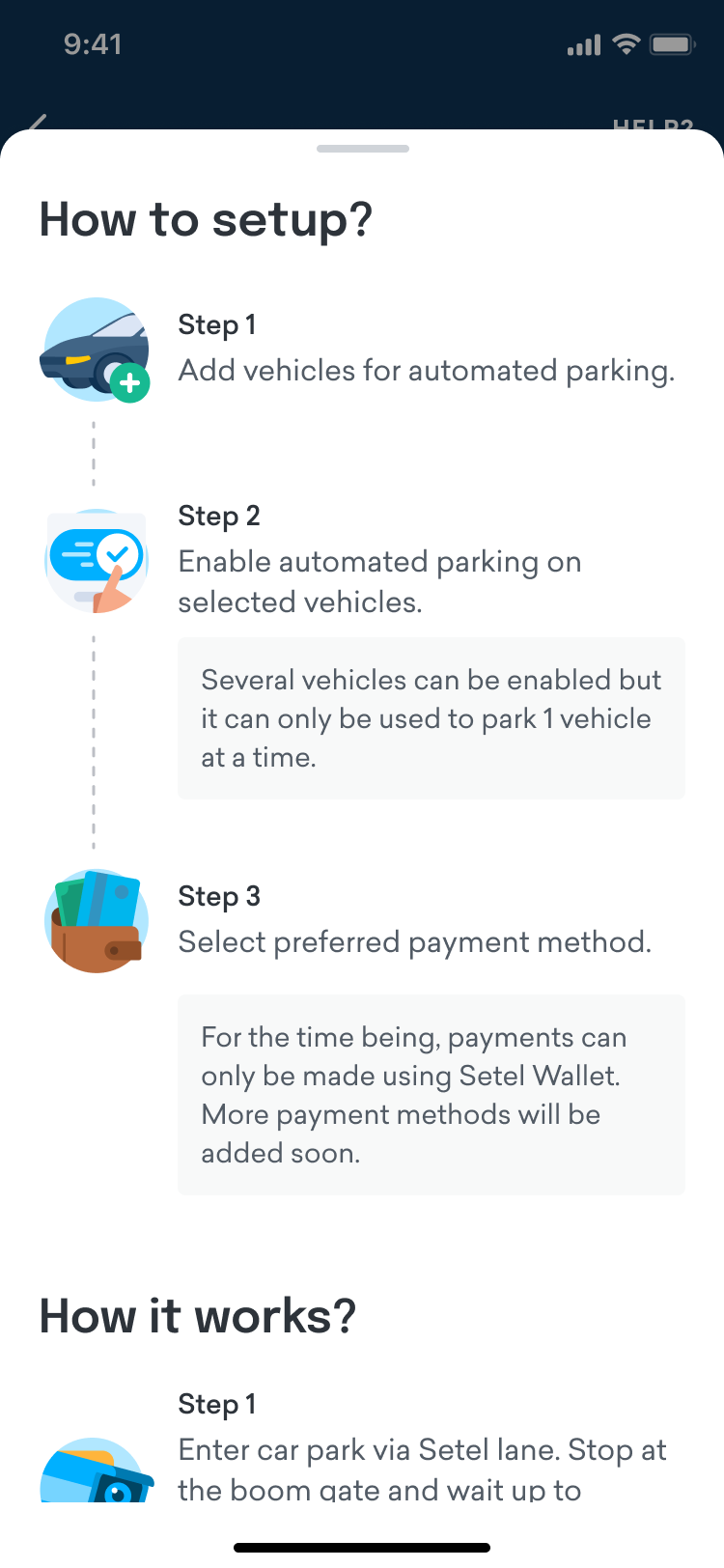
By setting up the vehicle profile, users have to enter details such as plate number, color, type and brand is optional.
How it Works?
Once users have set up their vehicle profile, they can drive to the parking location and stop their vehicle in front of the boom gate. The system will automatically detect the registered plate number, allowing the gate to open without the need for tickets or cards.
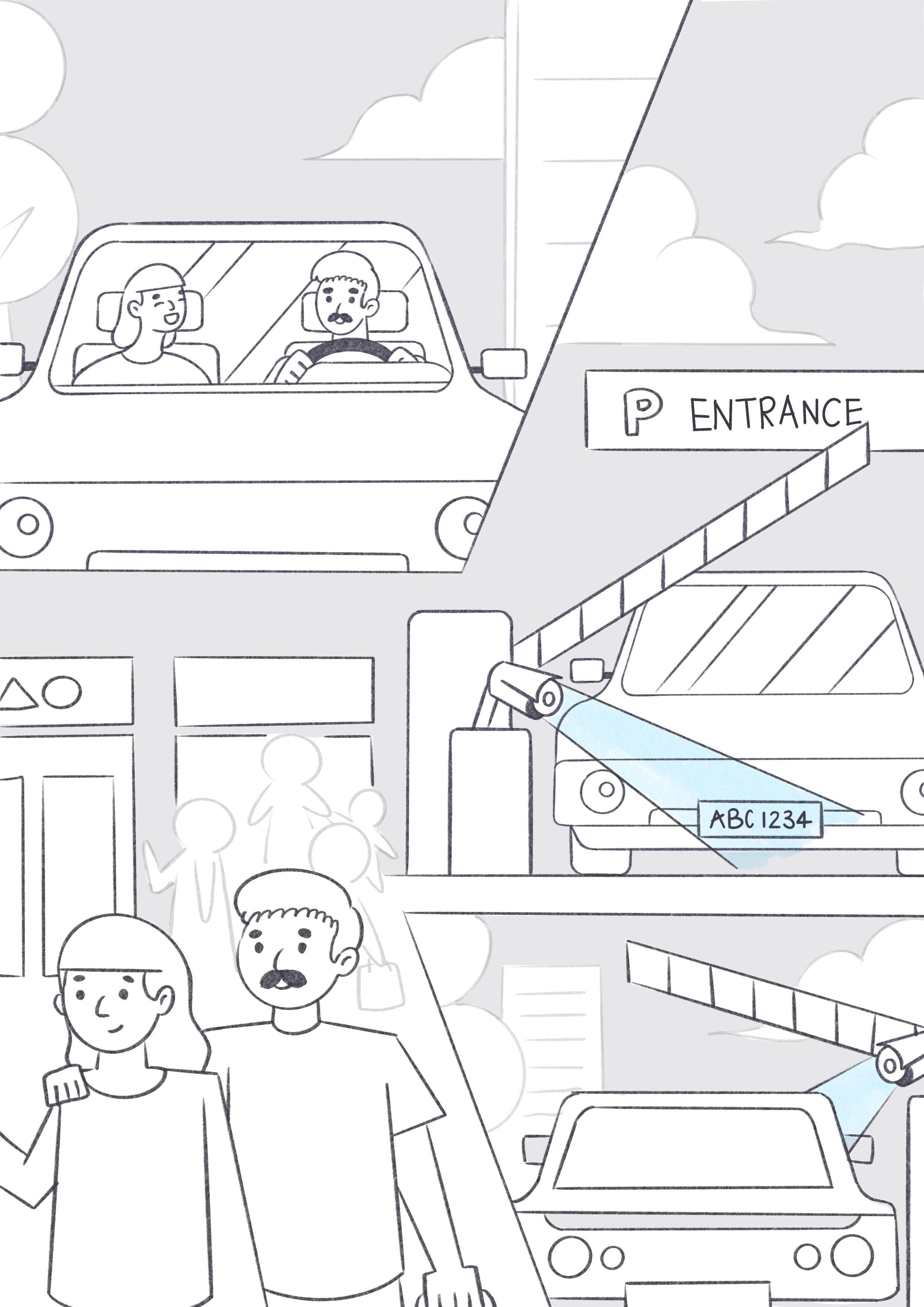

Step 1
Approach the boom gate for
vehicle license plate scanning

Step 2
Once the boom gate opens,
parking session begins

Step 3
Parking fee will be charged
automatically upon exit
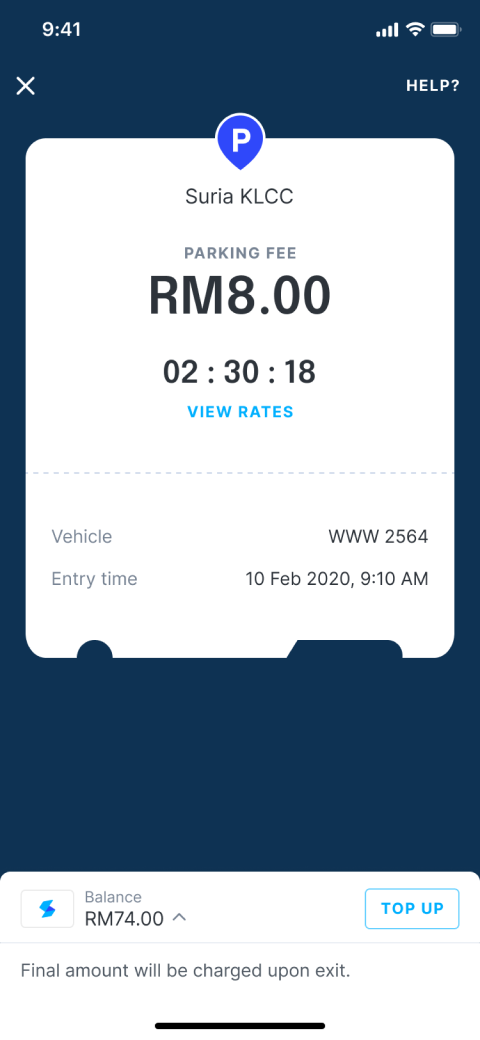
Once the parking session starts, users will receive a push notification. By tapping on the notification, they can view their parking duration and the parking fee in real-time.
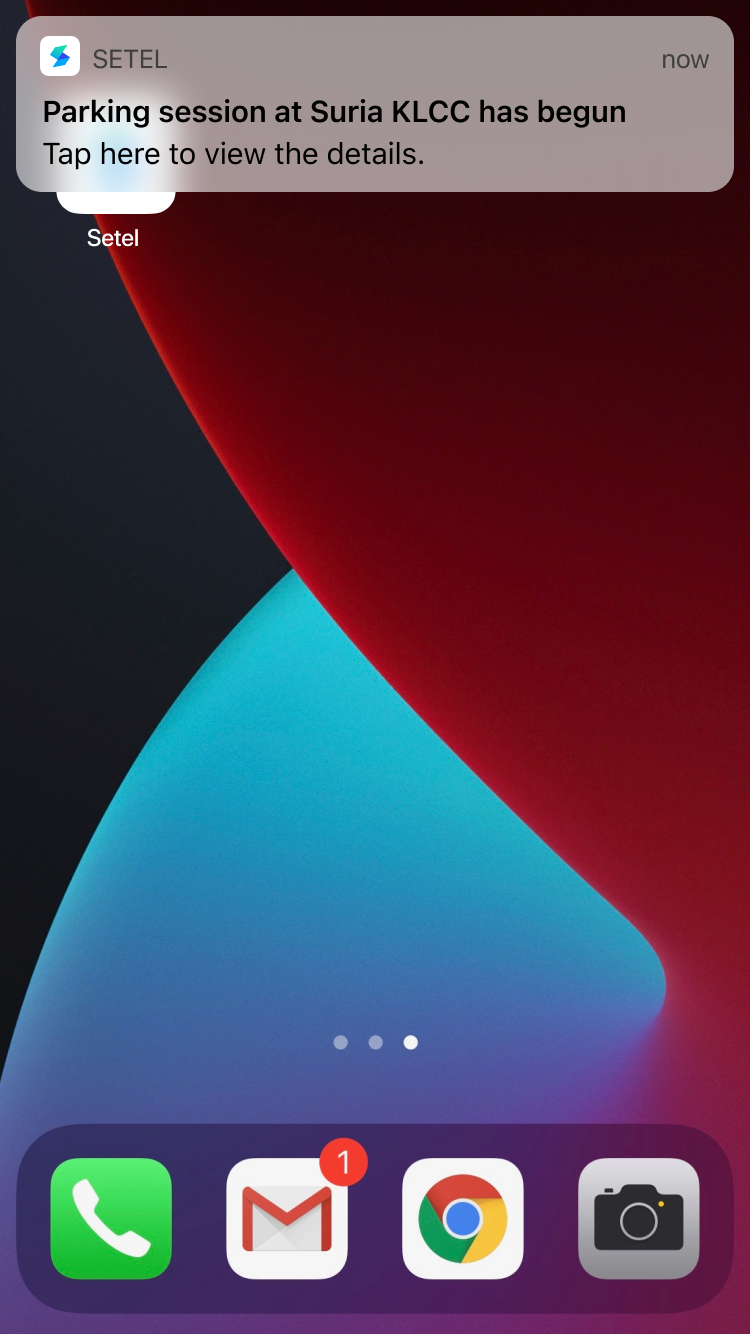
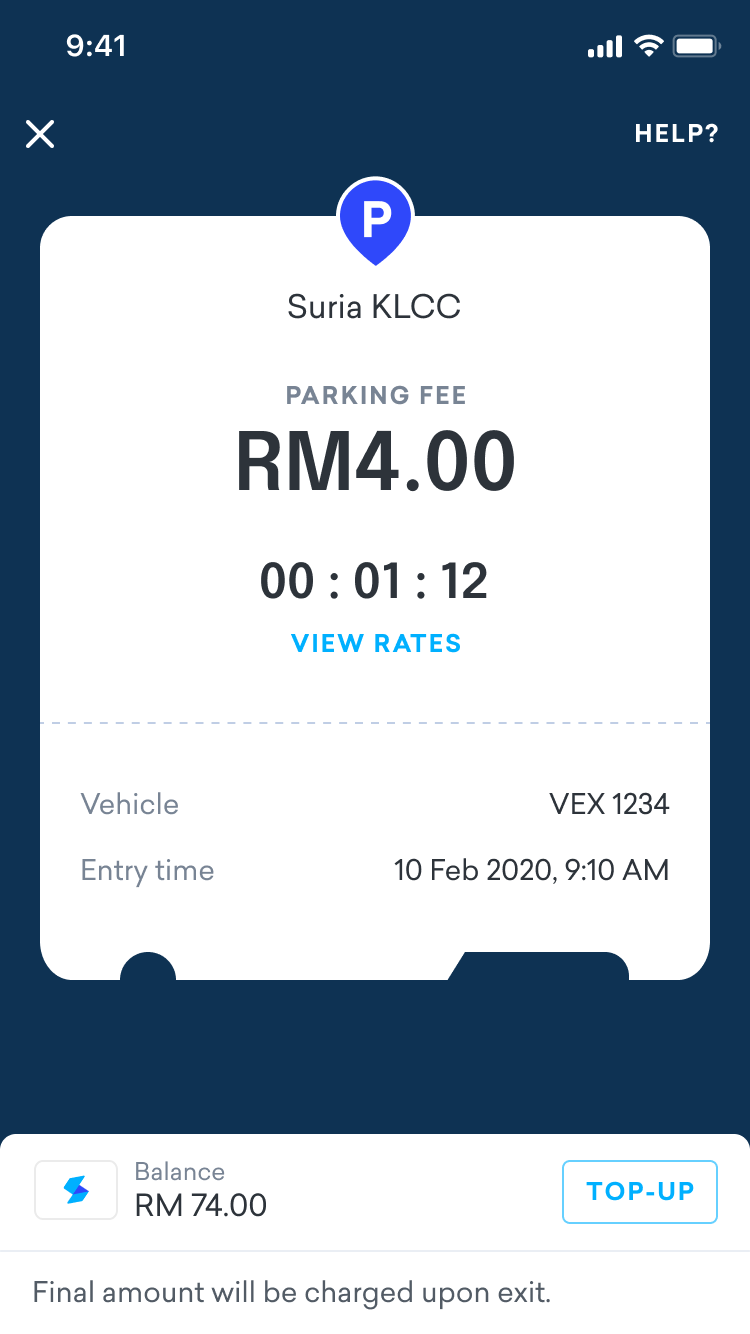
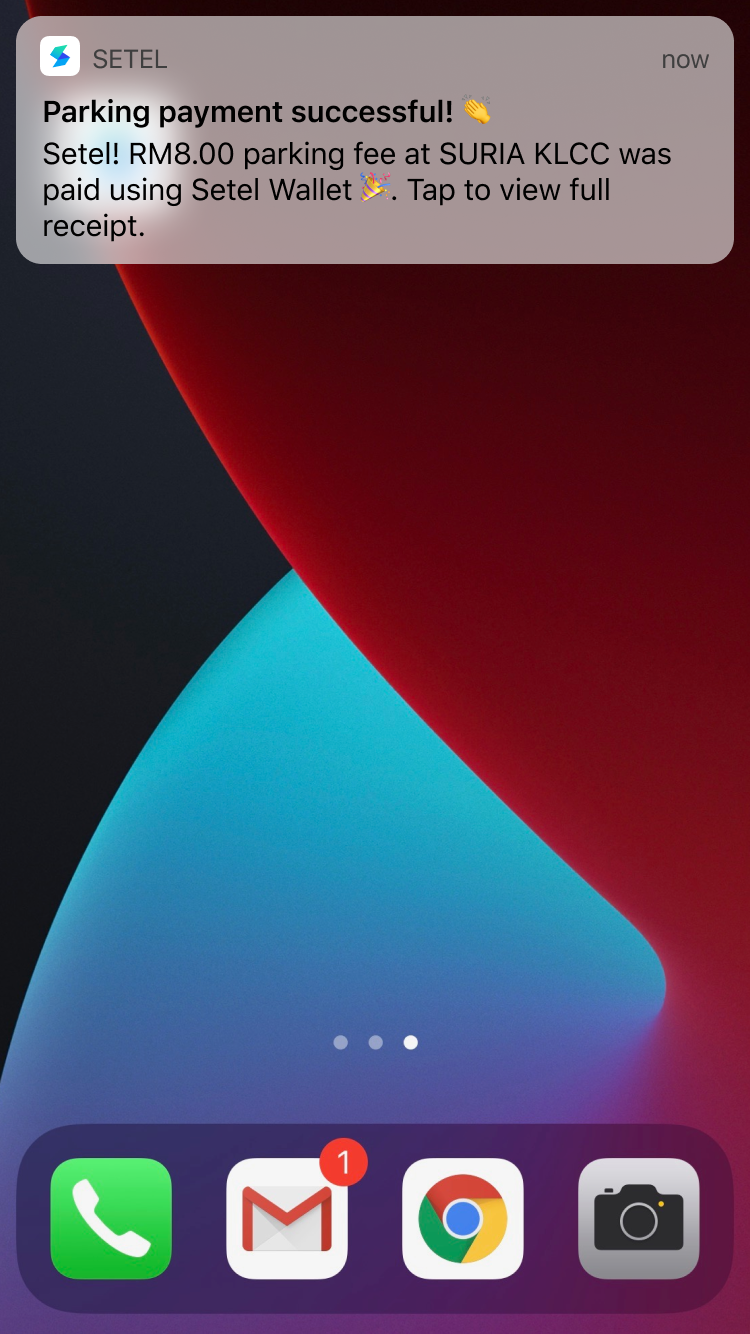
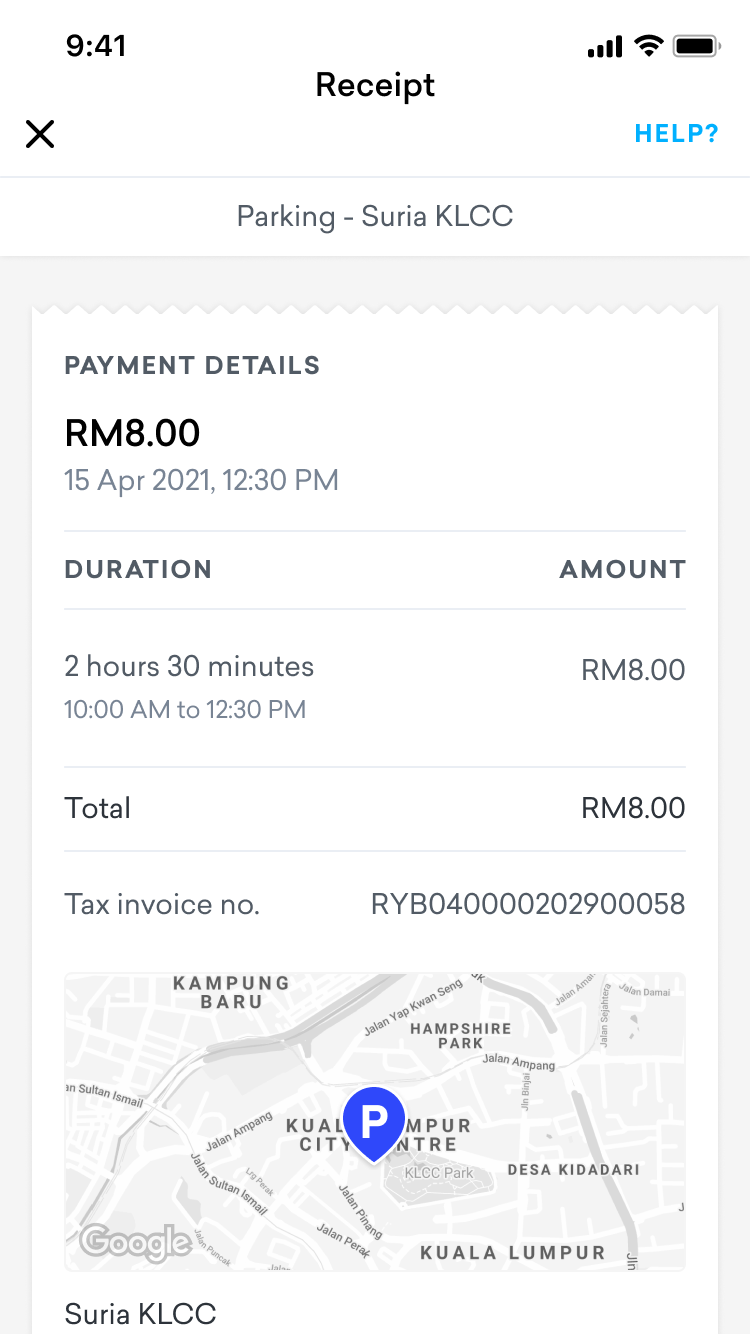
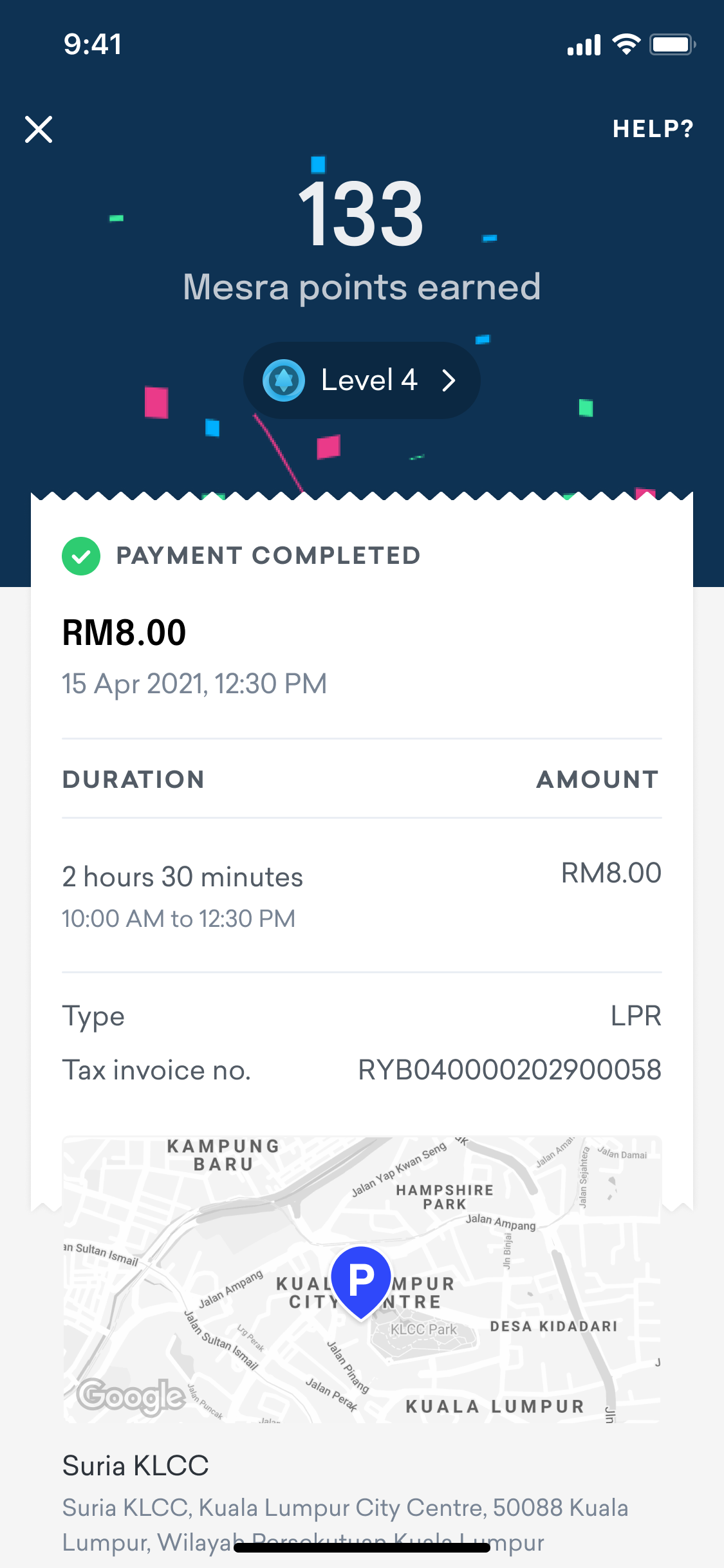
When exiting the parking lot, users can simply stop in front of the boom gate again. If they have sufficient wallet balance to cover the parking fee, the fee will be deducted from their Setel wallet. A successful payment notification will then be sent, and a receipt will be generated and stored in the app.
Usability Testing
Since this is a new method of parking, user research was necessary to understand how users would interact with the Setel app. We collaborated with the UX Research team to conduct six user interviews to gather feedback on the prototype design.
My Role
Each interview had one facilitator and three note-takers. I served as the primary note-taker in all interviews, observing how users interacted with the app and documenting their feedback.
Usability Testing Tasks
We prepared a prototype for users to explore during the interviews. The tasks included:
- Setting up a vehicle
We wanted to see if users could easily discover and understand how to register their vehicle and toggle the feature on/off.
- At the Boom Gate
Users were shown a real picture of a car park entrance with the license plate recognition camera. We asked users to make assumptions and raise questions about the camera, helping us gauge whether they would recognize it and what their expectations would be when approaching the boom gate.
- Push Notifications
We tested three types of notifications:
- When the parking session starts
- When the wallet balance is low
- When the parking session ends
Findings
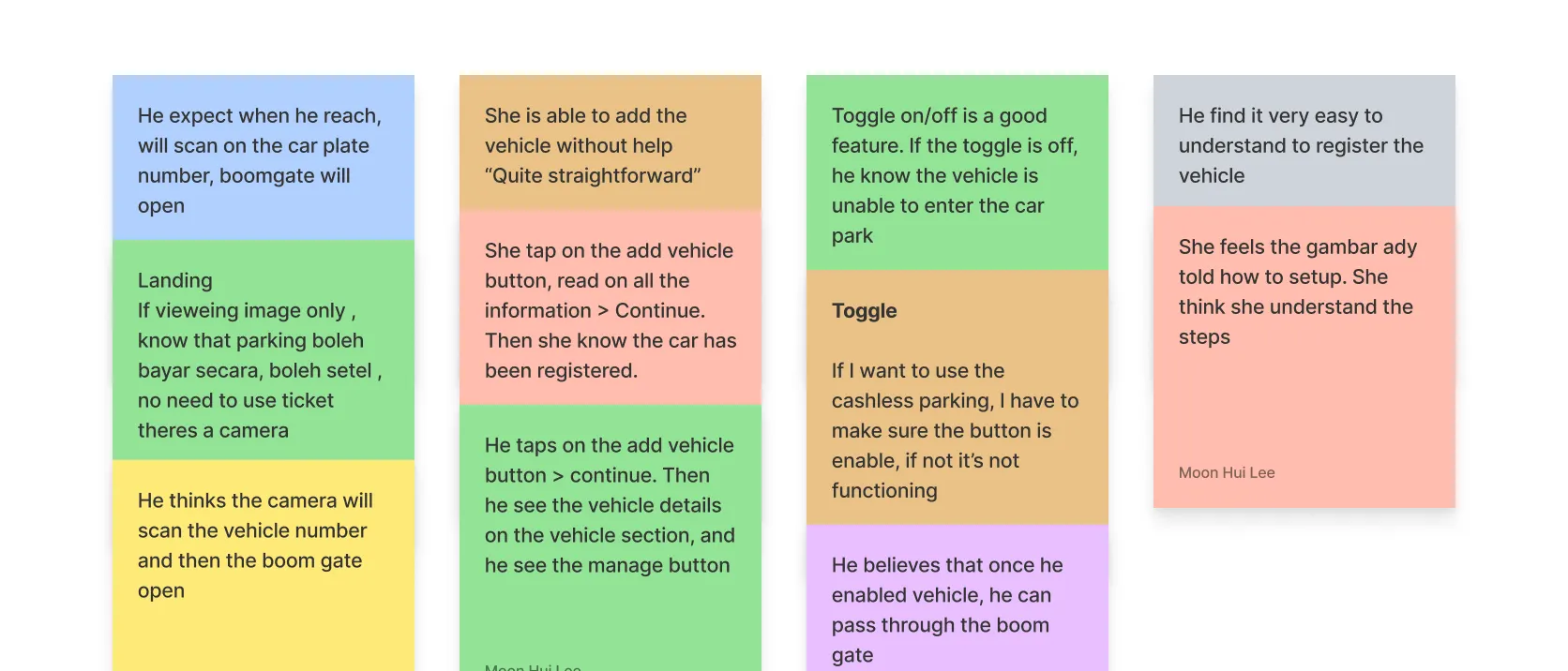
Most of the users managed to complete all the tasks given, they understand the overall concept of the parking feature.
Top takeaways
- The majority of the participants managed to complete all the tasks given and after walkthrough the screens, they understand the overall concept of Setel parking feature.
- In general, all participants do not know what’s the meaning of “LPR”.
- All participants are delighted with the notification on low wallet credit.
Work well
- The understanding of the “enable/disable” is clear for the majority of participants. The top of their mind is to enable when they want to use this feature and disable it to avoid getting charged when entering the parking.
- The majority of participants think when the parking fee is exceeded their Setel wallet or is less than RM20, they will get this notification. Once they got this, they will tap to top up.
Need to improve
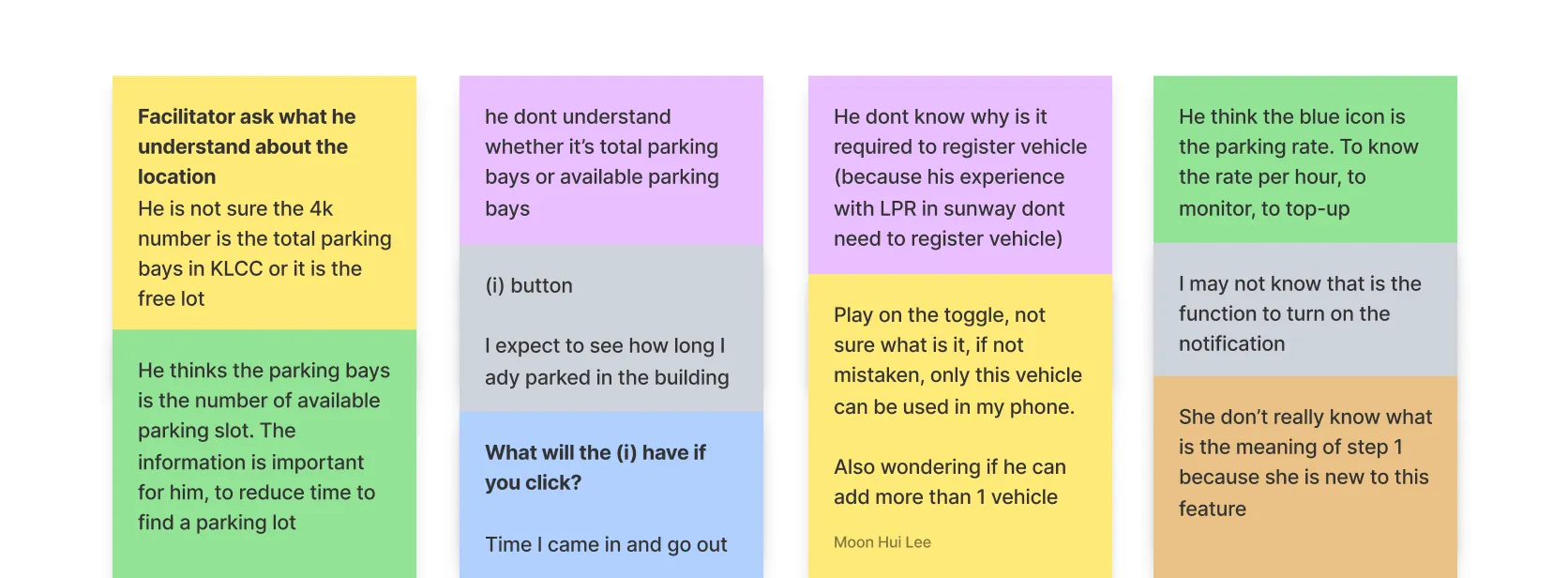
- A few participants were confused with the get notified when wallet balance is low. They thought tapping on “Enable Now” is to enable it for payment. However, after going through the screens, they understand that it’s to enable notification for low wallet balances.
2. The majority of participants thought the number in the location section is the real-time parking availability.
After getting the design validation from the user interviews, we have done several rounds of discussion to finalize the design:
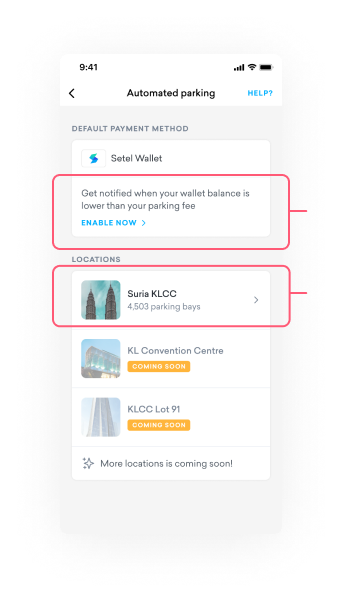
Before UT
Some users couldn't understand the message here, they are not sure what is enable now button meant for.
Majority of the users thought this number indicate the car park availability which is not. The number here indicate the total number car park in the location only.
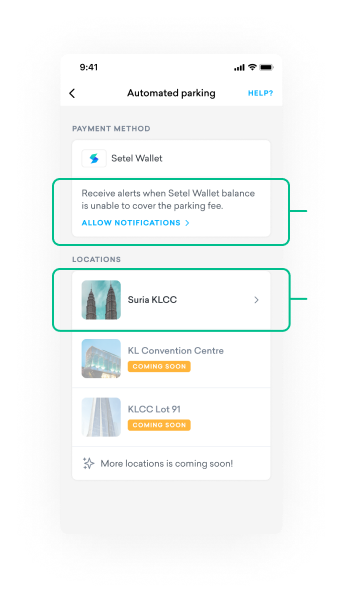
After UT
We have decided to remove the number of car park to avoid user’s confusion.
We have enhanced the copywriting and make the CTA to be clearer.
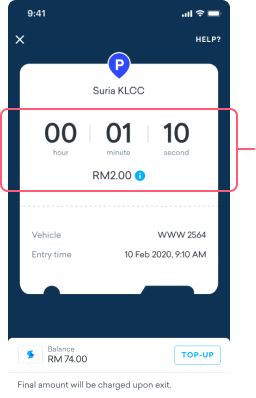
Before UT
We initially emphasized on duration, assuming it would help users manage their parking time more effectively.
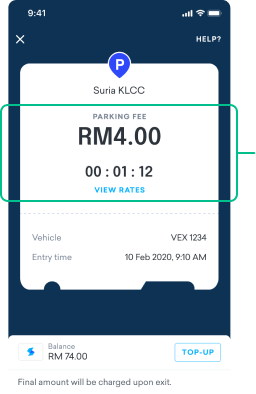
After UT
After speaking with several users, we found that they care more about the total parking fee than the duration of their parking.
Detailed view of the active parking session
UI Decision
Setting Expectations When Managing Multiple Vehicles
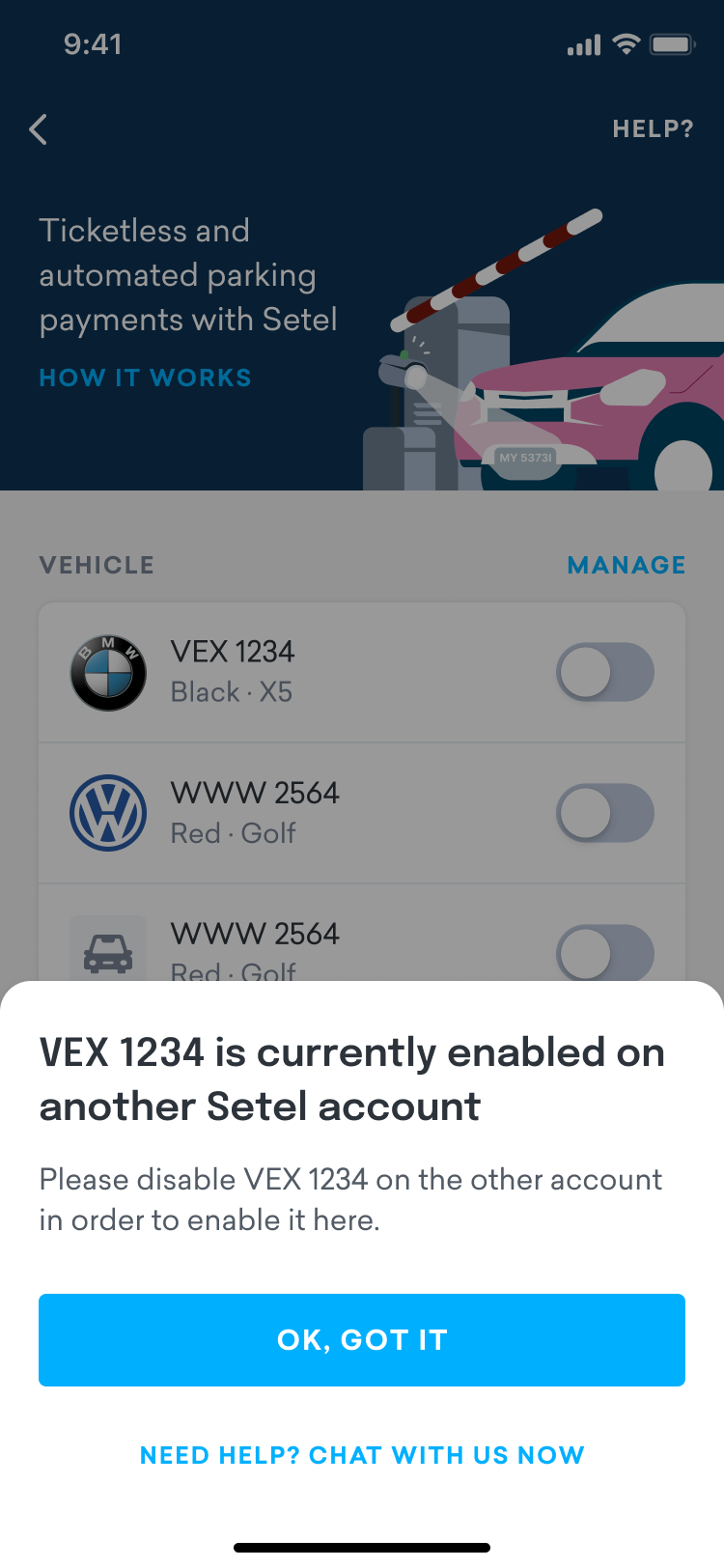
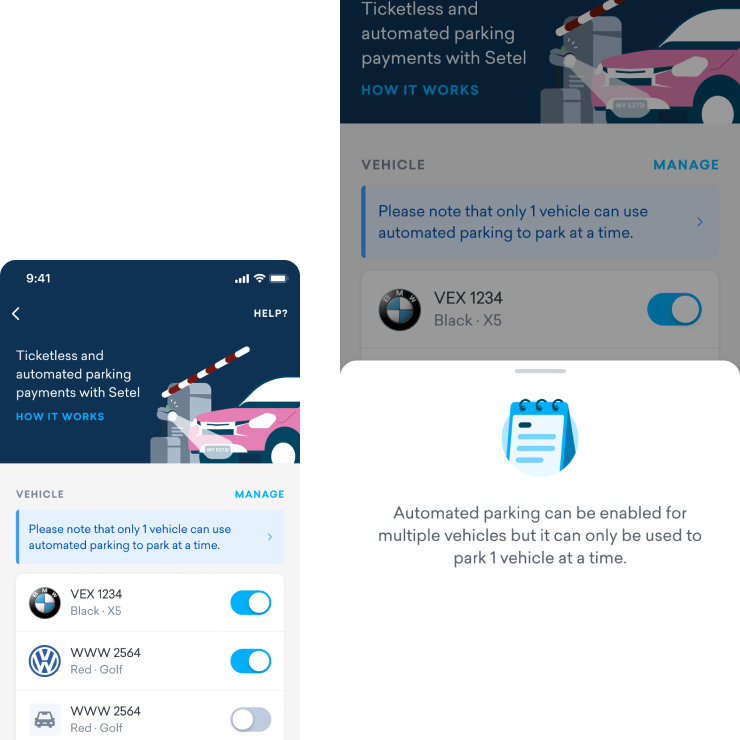
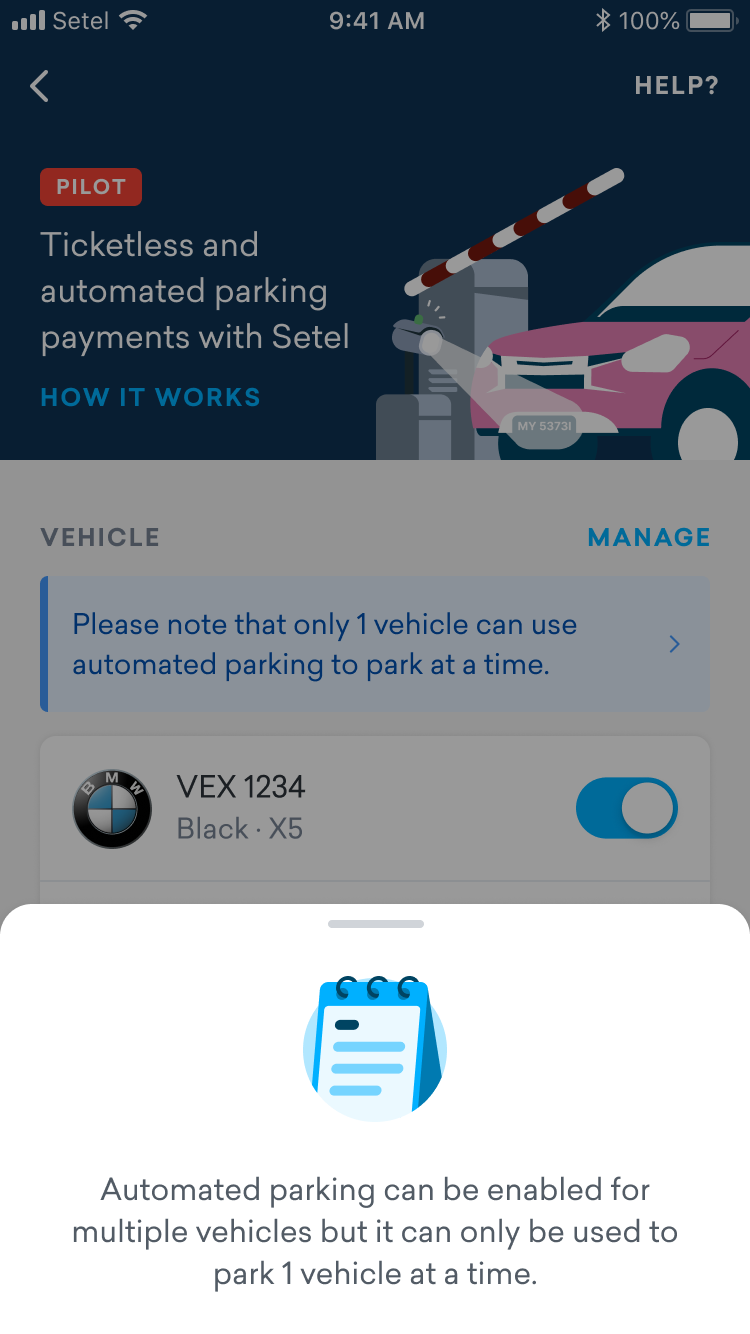
To prevent confusion, we surface a banner when users manage multiple vehicles, explaining any limitations upfront.

We encourage users to allow the location permission to the app in order to automatically find the parking location for them.
Communicating Future Payment Options
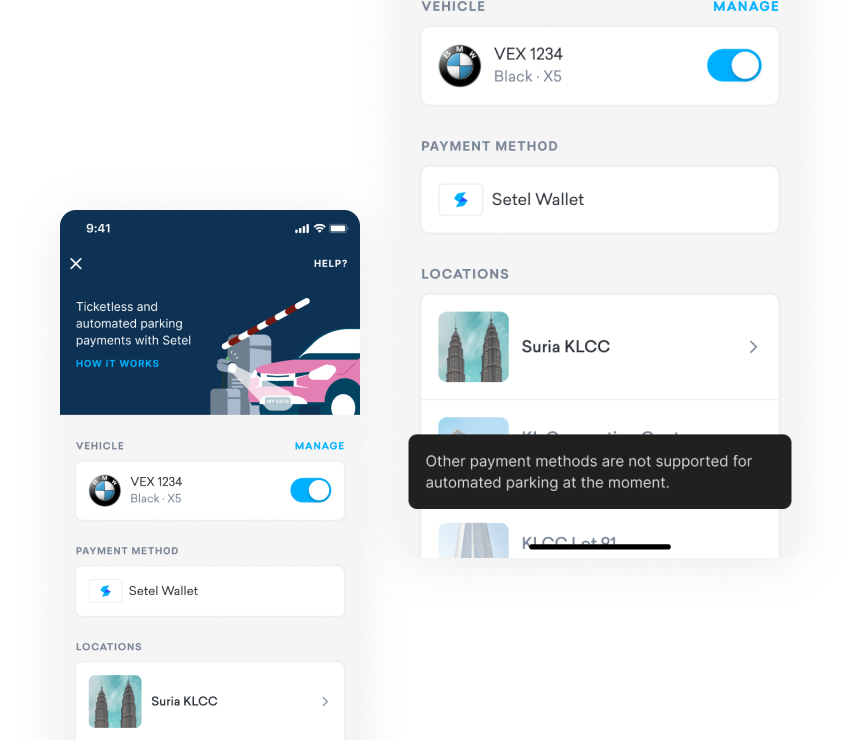
To manage expectations, a toast message appears when users tap the payment method, indicating that more options will be available in the future.
A toast message appears when users tap the payment method, indicating that more options will be available in the future.
Reminders
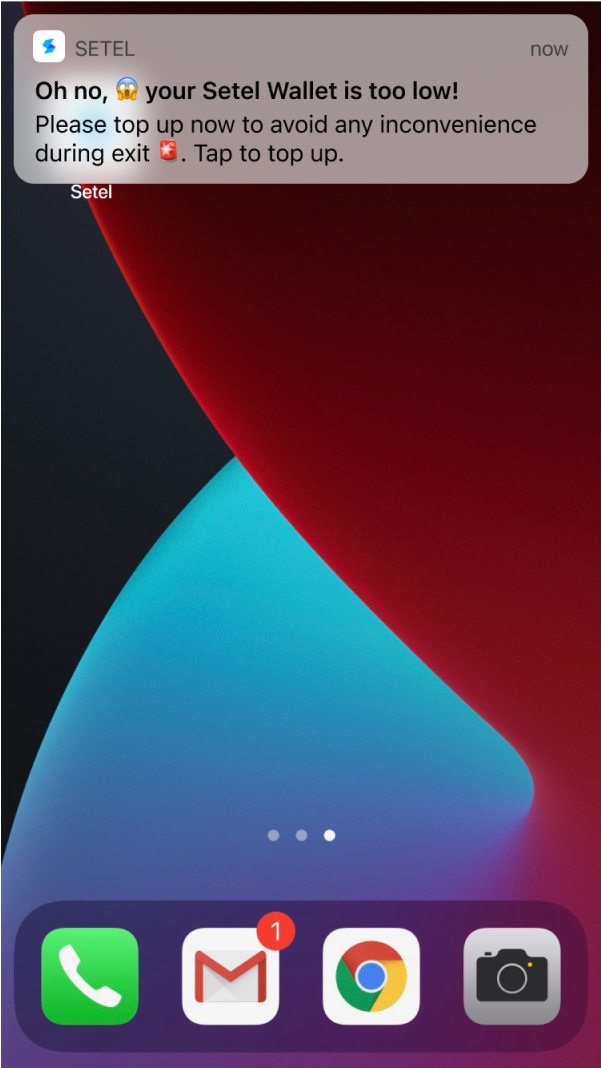
To prevent issues at the exit, users receive a low wallet balance reminder when their parking fee exceeds their current balance.
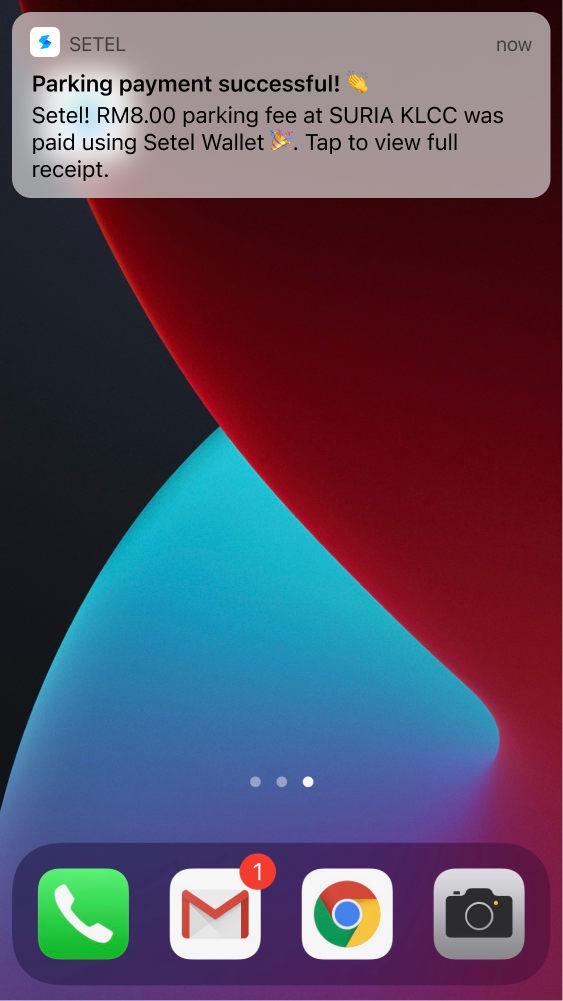
After the user successfully exits the parking location, a push notification is shown to let them know that their receipt is available in the app for easy viewing and record keeping.
Final Design
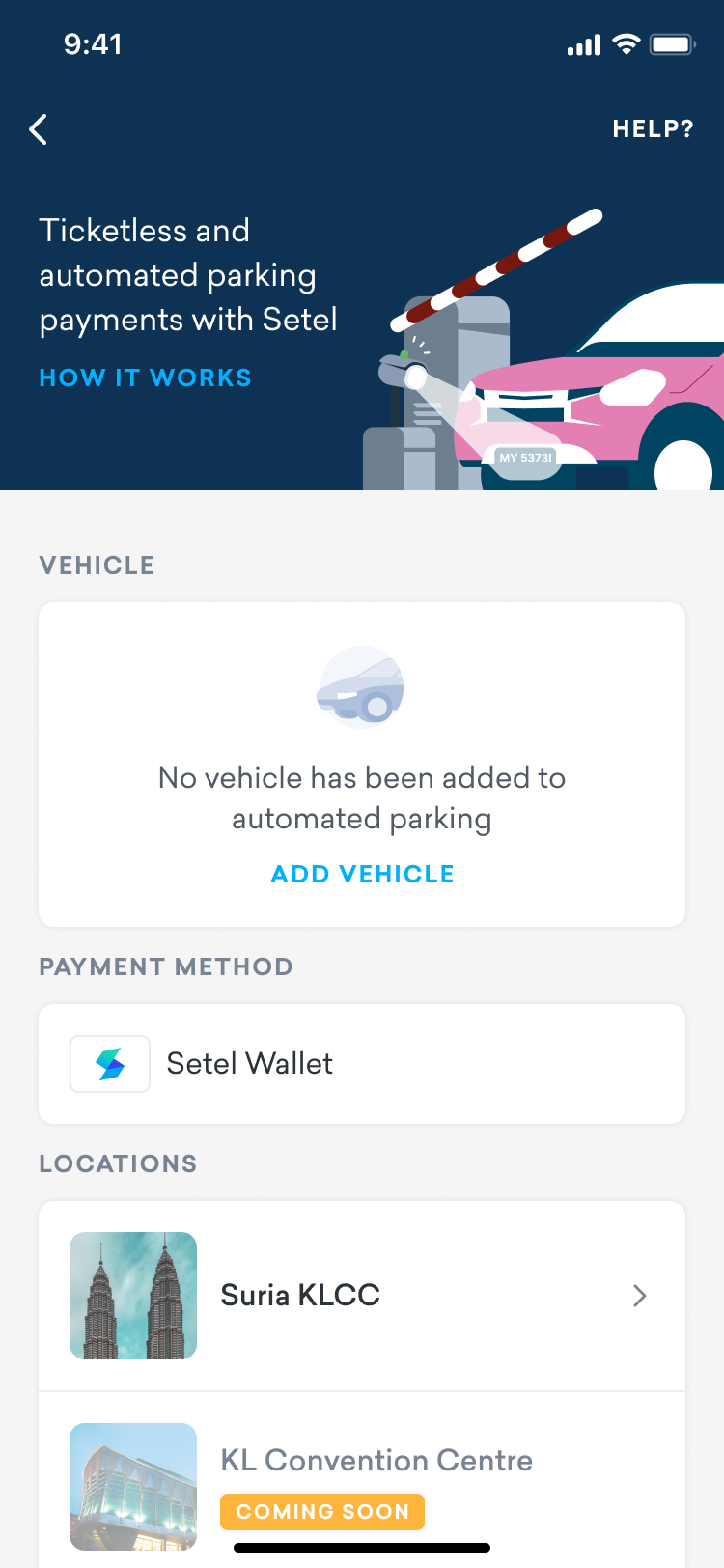
To ensure a user-friendly experience, we simplified the UI and minimized the setup actions required. The app now provides clear instructions, intuitive navigation, and easy-to-understand notifications, creating a seamless automated parking experience for users.


Copyright © moonhuilee 2026
The New Parking Payment Method: Automated Parking
Introduction
Setel is Malaysia’s first e-wallet specializing in petrol purchases at PETRONAS stations. Over the years, Setel’s goal has been to innovate seamless experiences for motorists nationwide. In addition to petrol purchases and e-wallet payments, we’ve gradually introduced features such as auto assistance, motor insurance renewal, and parking to serve motorists better.
With the introduction of automated parking payments, users can now check their parking session details and pay parking fees directly through the Setel app.
Problem
In Malaysia, the most common parking payment methods include credit/debit card payments, Touch 'n Go cards, and physical tickets that users pay at auto-pay machines.
However, only a few shopping malls have adopted license plate recognition (LPR) technology, and many users are unfamiliar with the concept of license plate recognition parking.
Opportunity
How can we introduce automated parking payments to users in a seamless and intuitive way?
Our Goals
Our main objective was to create a seamless parking experience by allowing users to enter parking facilities without tickets, cash, or cards, using LPR technology.
Solution
We introduced a simple process for users to set up their vehicle profile in the app, which can be toggled on or off depending on whether they want to use the automated parking feature.
Tap on parking spot
Introduction
Parking setup
Add a vehicle

Turn on the toggle
for the vehicle

All set

How to setup?
By setting up the vehicle profile, users have to enter details such as plate number, color, type and brand is optional.
How it Works?
Once users have set up their vehicle profile, they can drive to the parking location and stop their vehicle in front of the boom gate. The system will automatically detect the registered plate number, allowing the gate to open without the need for tickets or cards.

Step 1
Approach the boom gate for
vehicle license plate scanning

Step 2
Once the boom gate opens,
parking session begins

Step 3
Parking fee will be charged
automatically upon exit


Once the parking session starts, users will receive a push notification. By tapping on the notification, they can view their parking duration and the parking fee in real-time.
When exiting the parking lot, users can simply stop in front of the boom gate again. If they have sufficient wallet balance to cover the parking fee, the fee will be deducted from their Setel wallet. A successful payment notification will then be sent, and a receipt will be generated and stored in the app.
Usability Testing
Since this is a new method of parking, user research was necessary to understand how users would interact with the Setel app. We collaborated with the UX Research team to conduct six user interviews to gather feedback on the prototype design.
My Role
Each interview had one facilitator and three note-takers. I served as the primary note-taker in all interviews, observing how users interacted with the app and documenting their feedback.
Usability Testing Tasks
We prepared a prototype for users to explore during the interviews. The tasks included:
- Setting up a vehicle
We wanted to see if users could easily discover and understand how to register their vehicle and toggle the feature on/off.
- At the Boom Gate
Users were shown a real picture of a car park entrance with the license plate recognition camera. We asked users to make assumptions and raise questions about the camera, helping us gauge whether they would recognize it and what their expectations would be when approaching the boom gate.
- Push Notifications
We tested three types of notifications:
- When the parking session starts
- When the wallet balance is low
- When the parking session ends
Findings
Most of the users managed to complete all the tasks given, they understand the overall concept of the parking feature.
Top takeaways
- The majority of the participants managed to complete all the tasks given and after walkthrough the screens, they understand the overall concept of Setel parking feature.
- In general, all participants do not know what’s the meaning of “LPR”.
- All participants are delighted with the notification on low wallet credit.
Work well
- The understanding of the “enable/disable” is clear for the majority of participants. The top of their mind is to enable when they want to use this feature and disable it to avoid getting charged when entering the parking.
- The majority of participants think when the parking fee is exceeded their Setel wallet or is less than RM20, they will get this notification. Once they got this, they will tap to top up.
Need to improve
- A few participants were confused with the get notified when wallet balance is low. They thought tapping on “Enable Now” is to enable it for payment. However, after going through the screens, they understand that it’s to enable notification for low wallet balances.
- The majority of participants thought the number in the location section is the real-time parking availability.
After getting the design validation from the user interviews, we have done several rounds of discussion to finalize the design:
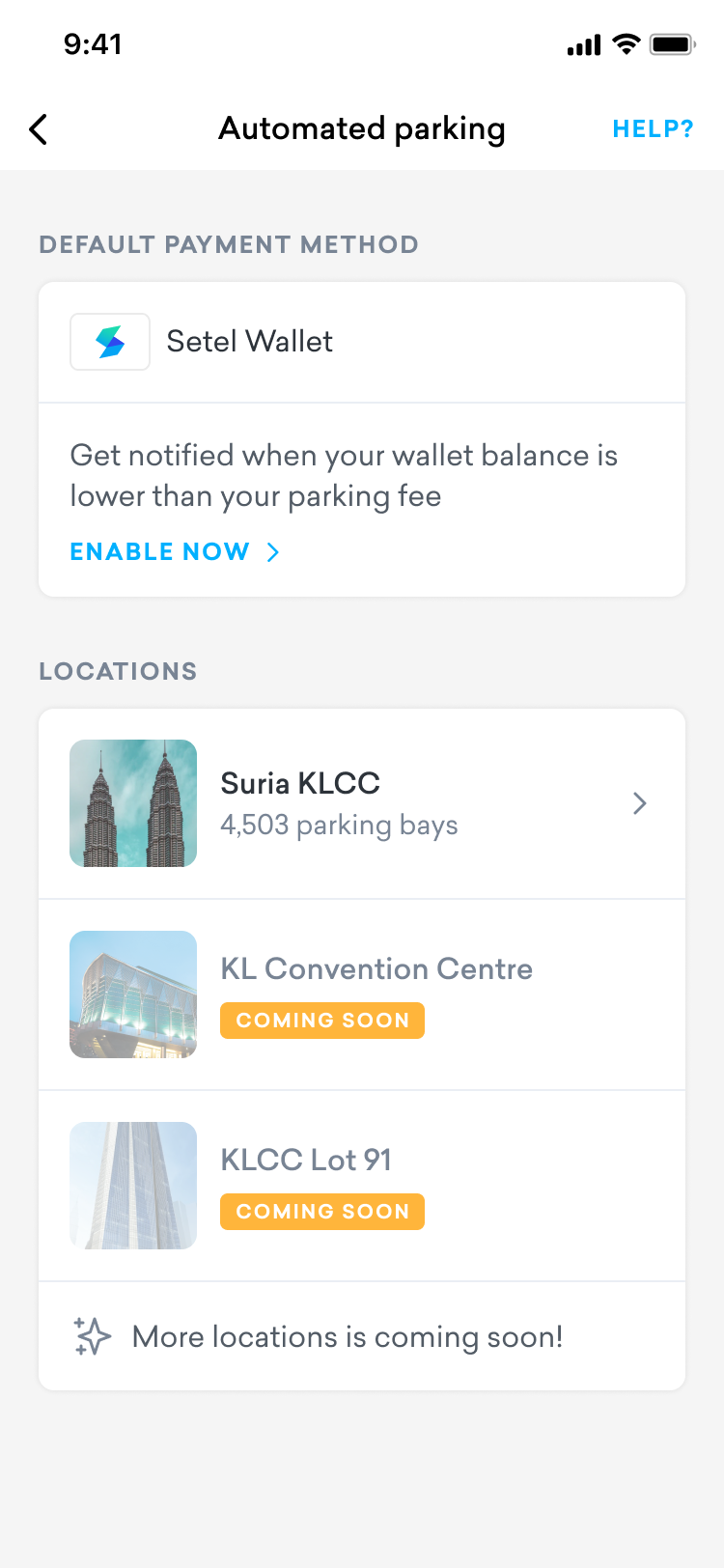
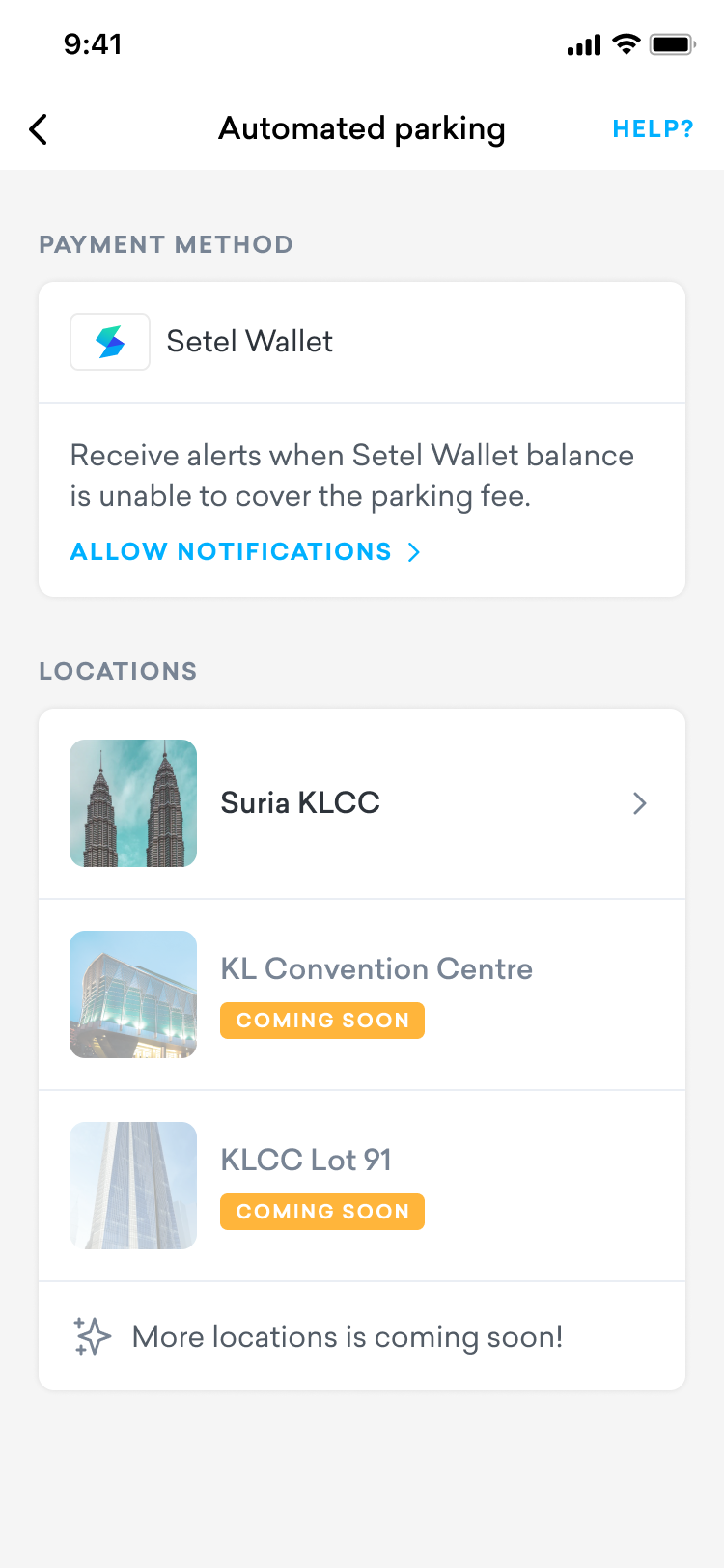
We have decided to remove the number of car park to avoid user’s confusion.
We have enhanced the copywriting and make the CTA to be clearer.

Some users couldn't understand the message here, they are not sure what is enable now button meant for.
Majority of the users thought this number indicate the car park availability which is not. The number here indicate the total number car park in the location only.


Before UT
After UT
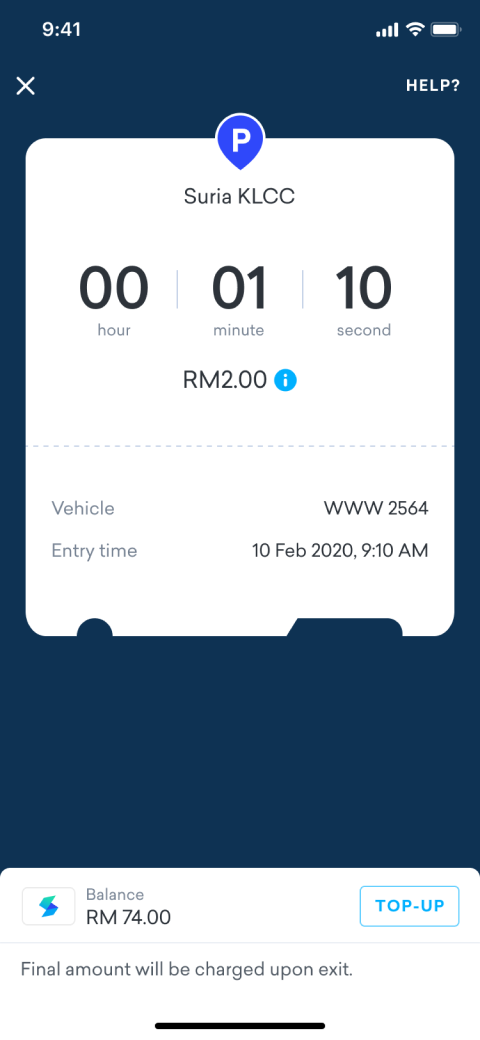
After speaking with several users, we found that they care more about the total parking fee than the duration of their parking.
We initially emphasized on duration, assuming it would help users manage their parking time more effectively.
Before UT
After UT
Detailed view of the active parking session
UI Decision
Setting Expectations When Managing Multiple Vehicles
To prevent confusion, we surface a banner when users manage multiple vehicles, explaining any limitations upfront.
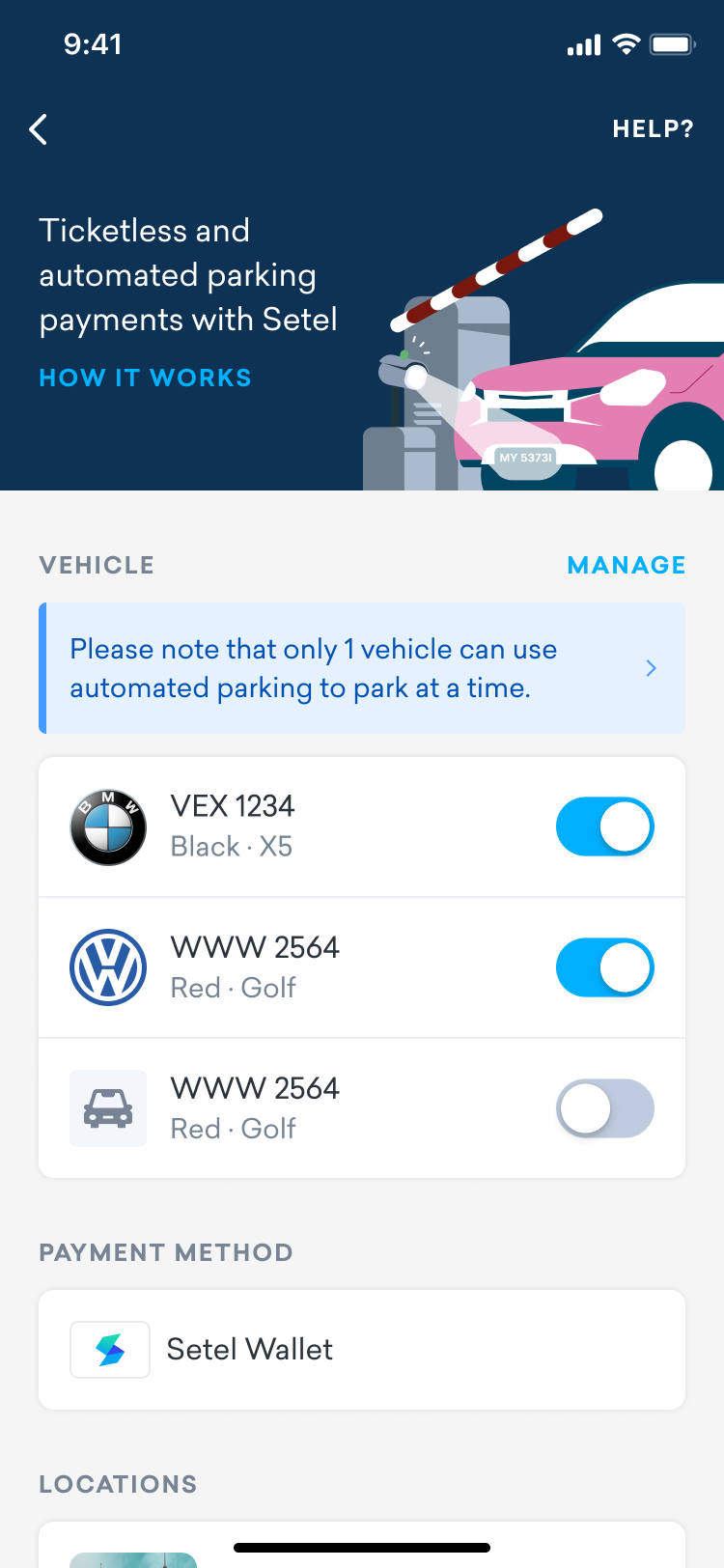
When multiple vehicles are enabled, a banner is displayed at the top of the section to clearly communicate the feature limitations.
Communicating Future Payment Options
To manage expectations, a toast message appears when users tap the payment method, indicating that more options will be available in the future.
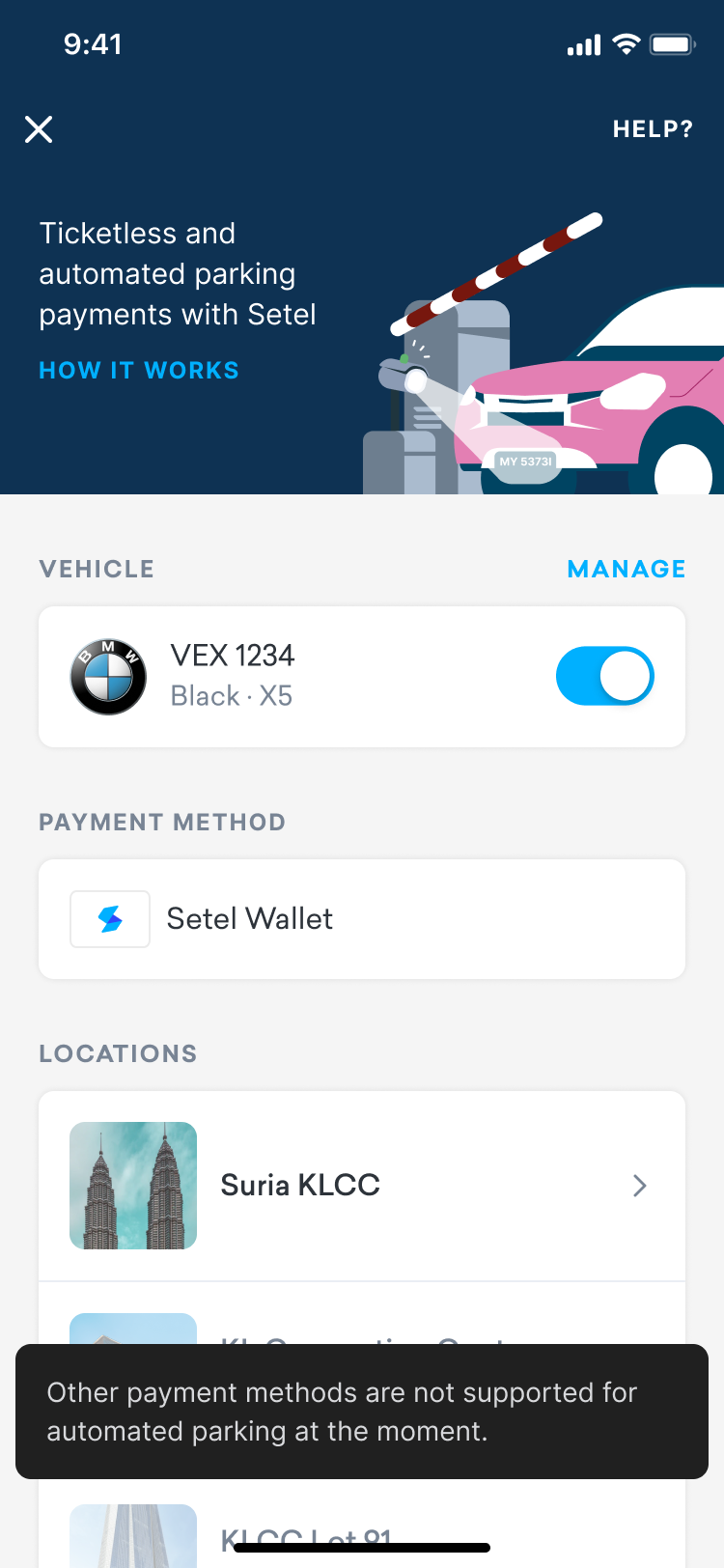
A toast message appears when users tap the payment method, indicating that more options will be available in the future.
Reminders
To prevent issues at the exit, users receive a low wallet balance reminder when their parking fee exceeds their current balance.
After the user successfully exits the parking location, a push notification is shown to let them know that their receipt is available in the app for easy viewing and record keeping.
Final Design
To ensure a user-friendly experience, we simplified the UI and minimized the setup actions required. The app now provides clear instructions, intuitive navigation, and easy-to-understand notifications, creating a seamless automated parking experience for users.